ENGLISH
Basic Recording
4343
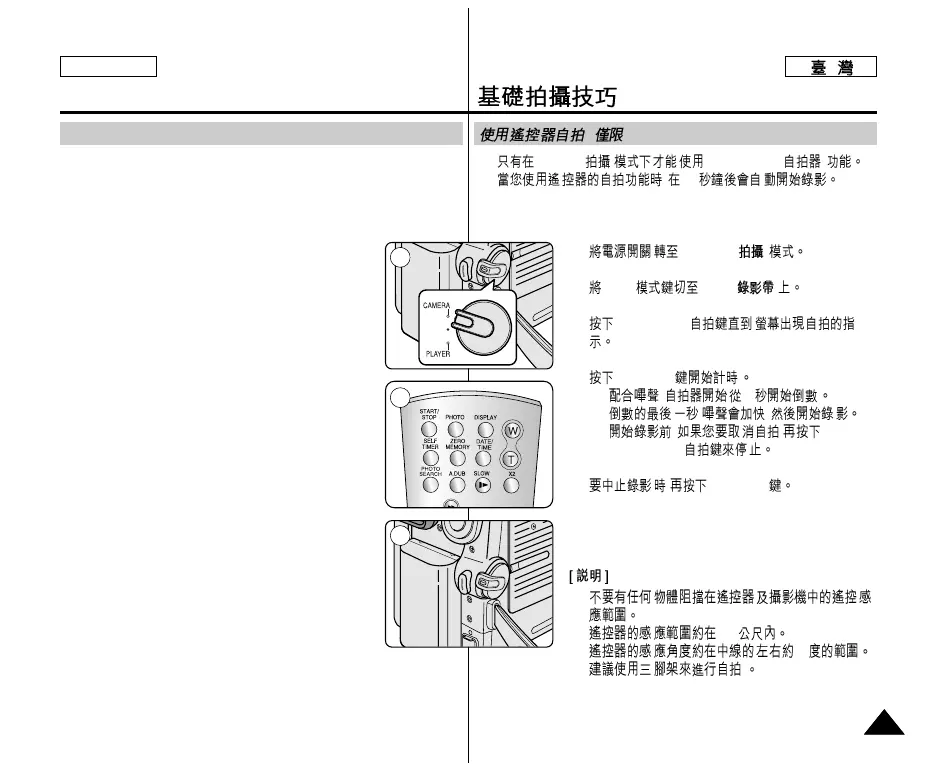
✤ The SELF TIMER function works only in Camera mode.
✤ When you use the Self Timer function on the remote control, the
recording begins automatically in 10 seconds.
1. Set the Power switch to CAMERA.
2. Set the Mode switch to TAPE.
3. Press the SELF TIMER button until the appropriate
indicator is displayed in the LCD screen.
4. Press the Start/Stop button to start the timer.
- Self Timer starts counting down from 10 with a
beep sound.
- In the last one second of the countdown, the
beep sound gets faster, then recording starts
automatically.
- If you want to cancel the Self Timer function
before recording, press the SELF TIMER button.
5. Press the Start/Stop button again when you wish to
stop recording.
[ Notes ]
■ Do not obstruct the remote control sensor by putting
obstacles between the remote control and
Camcorder.
■ The remote control range is 4 ~5m (13 ~17 ft).
■ The effective remote control angle is up to 30
degrees left /right from the center line.
■ Using a tripod is recommended for delayed recording.
Self Record using the Remote Control (SC-D354/D355 only)
✤
Camera
( ) SELF TIMER( )
✤ , 10
1.
CAMERA
( )
2.
Mode TAPE
( )
3.
SELF TIMER
4.
Start/Stop
- , 10
-
, ,
-
, ,
SELF TIMER
5.
,
Start/Stop
■
■
4~5
■ 30
■ .
(
SC-D354/D355
)
œ
1
3
4
œ



 To Next Page
 Loading...