Using the SmartThings Station
10
Finding the locations of nearby devices
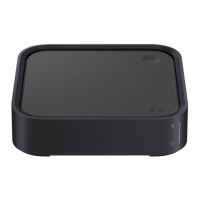
You can update the location information of nearby devices by using the SmartThings
Station. For example, even if you are outside, you can check the location of Galaxy Buds
that have fallen under the sofa at home.
1 On your mobile device, launch the
SmartThings
app and tap
Devices
.
2 Tap the SmartThings Station card and tap
→
Settings
→
Locate nearby devices
.
Set the location information of the SmartThings Station.
To check the location information of nearby devices, tap
Find
under
Related services
.
Finding a location with SmartThings Find
You can use the SmartThings Find feature to check the location of Galaxy devices.
1 On your mobile device, launch the
SmartThings
app and tap
Devices
.
2 Tap the SmartThings Station card and tap
Controls
.
3 Tap
Find
under
Related services
.
The location of the Galaxy devices registered to your Samsung account will be
displayed on the map.
Control devices with multiple people
Multiple users can check the status and control the SmartThings Station and its
connected smart home devices. This feature is only available for Android mobile device
users and requires the latest version of the SmartThings app. Also, it can only be
launched while the other user’s mobile device screen is on or the SmartThings app is
running.
1 On your mobile device, launch the
SmartThings
app and tap
Devices
.
2 Tap the SmartThings Station card and tap
Controls
→
Press and hold to invite
members
.
3 Tap the switch to activate it.
4 Press and hold the SmartThings Station’s Smart button for more than 2 seconds.
A pop-up window will appear on your friend’s mobile device to request to join the
place.



 To Next Page