English 65
Maintenance
3. Insert a new lter cartridge. Use only
Samsung-provided or -approved lters.
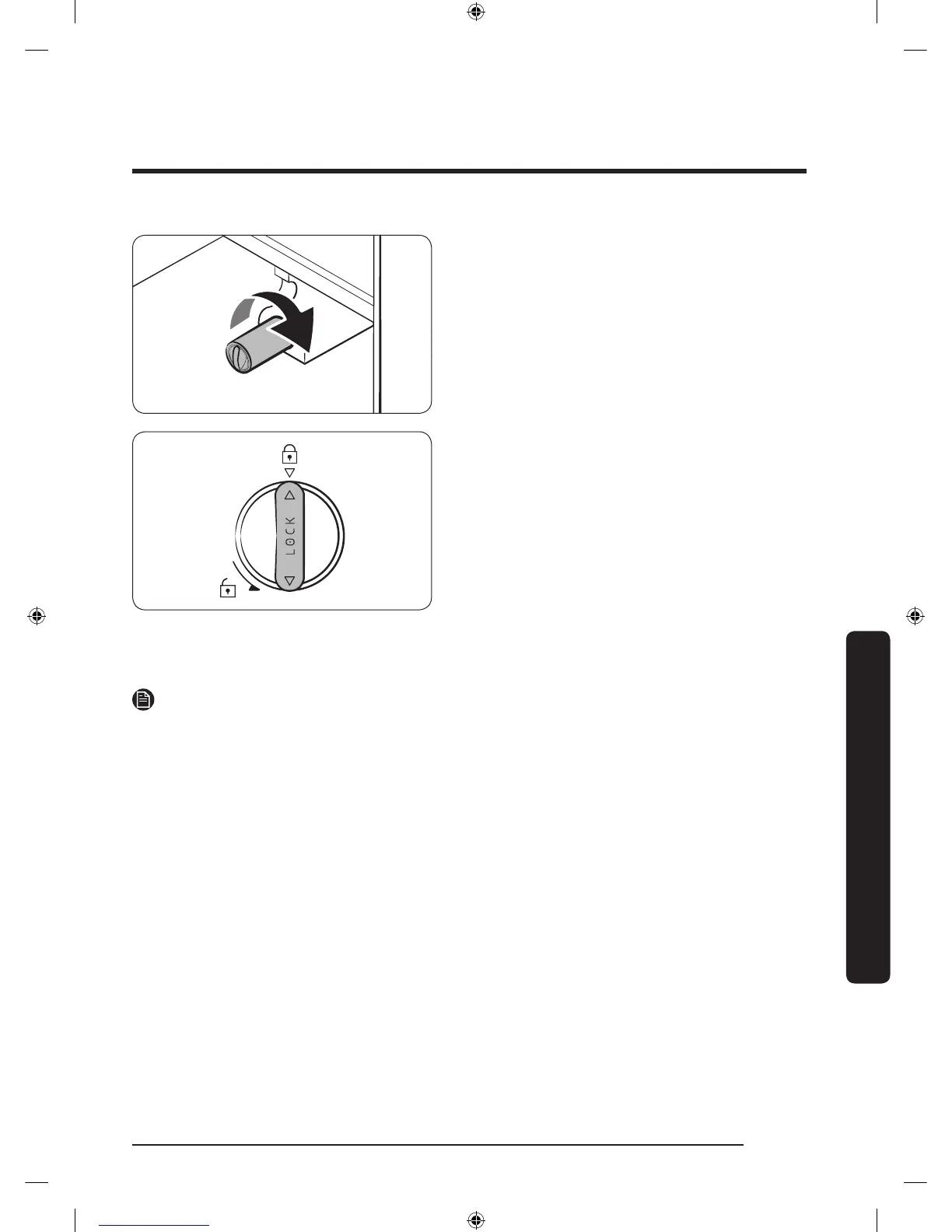
4. Turn the cartridge knob clockwise to
lock into place.
5. On the Home screen, tap Fridge
Manager > Fridge Settings > Water
Filter, and then select Reset.
The lter indicator turns blue.
6. When replacing is complete, open the
water valve and run water through the
dispenser for about 7 minutes. This is
to remove impurities and air from the
water line.
NOTE
• A newly installed lter may cause the water dispenser to spurt water briey. This is
because of air entering the waterline.
• This replacement process cause the refrigerator to drip water onto the oor. Simply
wipe up with dry cloths.
Reverse osmosis water ltration system
The water pressure of the water supply system to a reverse osmosis water ltration
system must be between 35 psi and 120 psi (241 kPa and 827 kPa).
The water pressure of the reverse osmosis water ltration system to the refrigerator’s
cold water line must be at least 40 psi (276 kPa). If the water pressure is below the
specied:
• Check if the sediment lter in the reverse osmosis system is blocked. Replace the lter
if necessary.
• Rell the water tank in the reverse osmosis system with water.
• If your refrigerator has a water lter, it may further reduce the water pressure when
used in conjunction with a reverse osmosis system. Remove the water lter.
For more information or servicing, contact a licensed plumbing professional.
Untitled-16 65 2017-06-28 12:56:27













 To Next Page