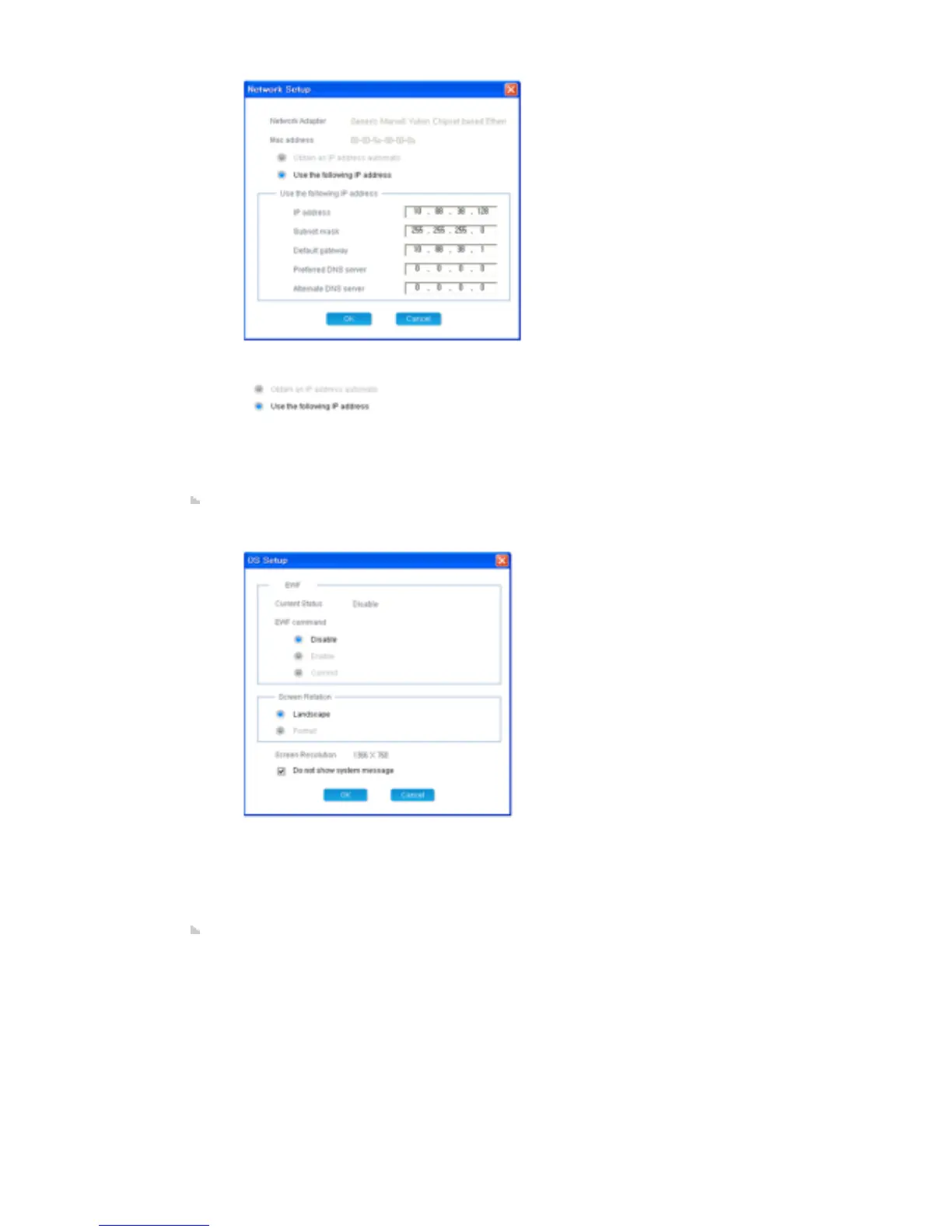
- Network Adapter: Displays the network adapter for the selected client.
- Mac Address: Displays the MAC address of the selected client.
- : Select an IP address type.
- IP Address: Enter the IP address.
- Subnet mask: Enter the subnet mask.
- Default gateway: Enter the address of the default gateway.
- Preferred DNS server: Enter the address of the preferred DNS server.
- Altermate DNS server: Enter the address of the alternate DNS server.
- The Network Adapter and Mac Address items cannot be changed.
Window: Displays the information for the EWF, screen rotation, screen resolution, and system
messages. You can change the settings by double-clicking the monitor name or using the Edit
item from the context menu.
1) Current Status: Displays the current EWF status of the selected client.
2) EWF command: Changes the EWF status of the selected client.
3) Screen Rotation: Selects the screen direction of the selected client.
4) Screen Resolution: Displays the resolution of the selected client.
5) System message: Selects whether to display a system message for the selected
client.
6) The Current Status and Screen Resolution items cannot be changed.
MagicNet: Displays information for the Startup, Automatic update, Use password lock, and
Content server. You can change the settings by double-clicking the monitor name or using the
Edit item from the context menu.







 To Next Page