z
Use the equal disk space of each monitor: Sets the size to the value entered in the edit
box.
z Do not check disk space when schedule is published: Publishing continues even though
the total size of the schedules to be
ace of
the monitor.
Publishing sequence: Specifies the order when publishing is performed for multiple monitors.
z
Publish schedules at the same time: Publishes the schedules to multiple monitors at the
same time.
z
Publish schedules one after the other: Publishes the schedules to multiple monitors one
by one.
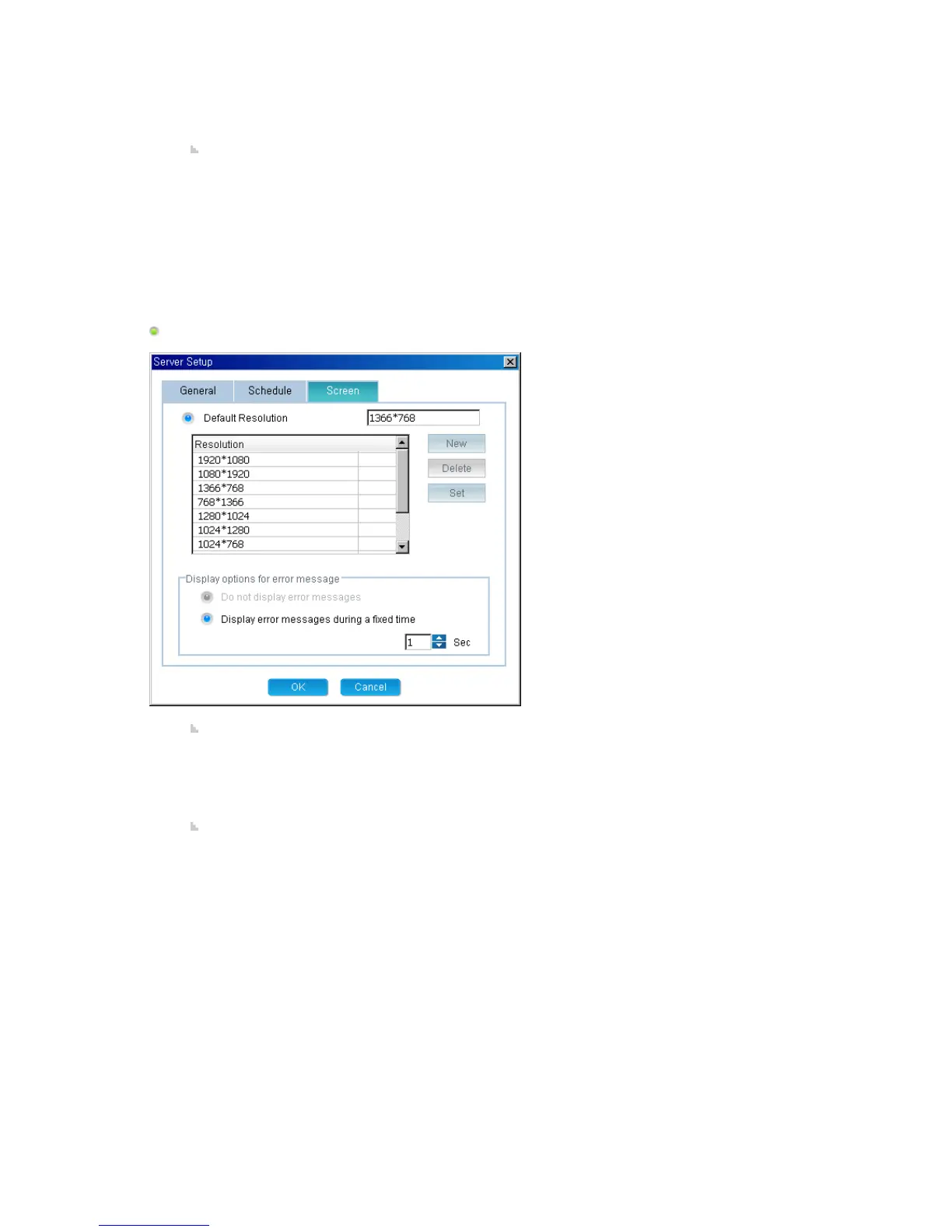
Screen
Default Resolution: Adds, deletes and sets the default resolution for a newly created screen.
z New: Adds a new resolution that can be used in a screen. It is added to the list of
background resolutions for the screen.
z Delete: Deletes a created resolution. It is removed from the list of background
resolutions for the screen.
z Set: Sets the selected resolution as the default resolution.
Dis
occur when a screen is
previewed.
z
Do not display error messages: When an error occurs, the next preview operation
continues without an error message being displayed.
z
Display error messages during a fixed time: When an error occurs, an error message is
displayed for a specified period of time and then is automatically hidden after that
period.







 To Next Page