What is MagicNet? |
| Library | Screen | Schedule
Remote Management | Message | Option |
Client / Contents
Server
| Troubleshooting
Running MagicNet
1. Click Programs -> MagicNetPro -> MagicNetPro.
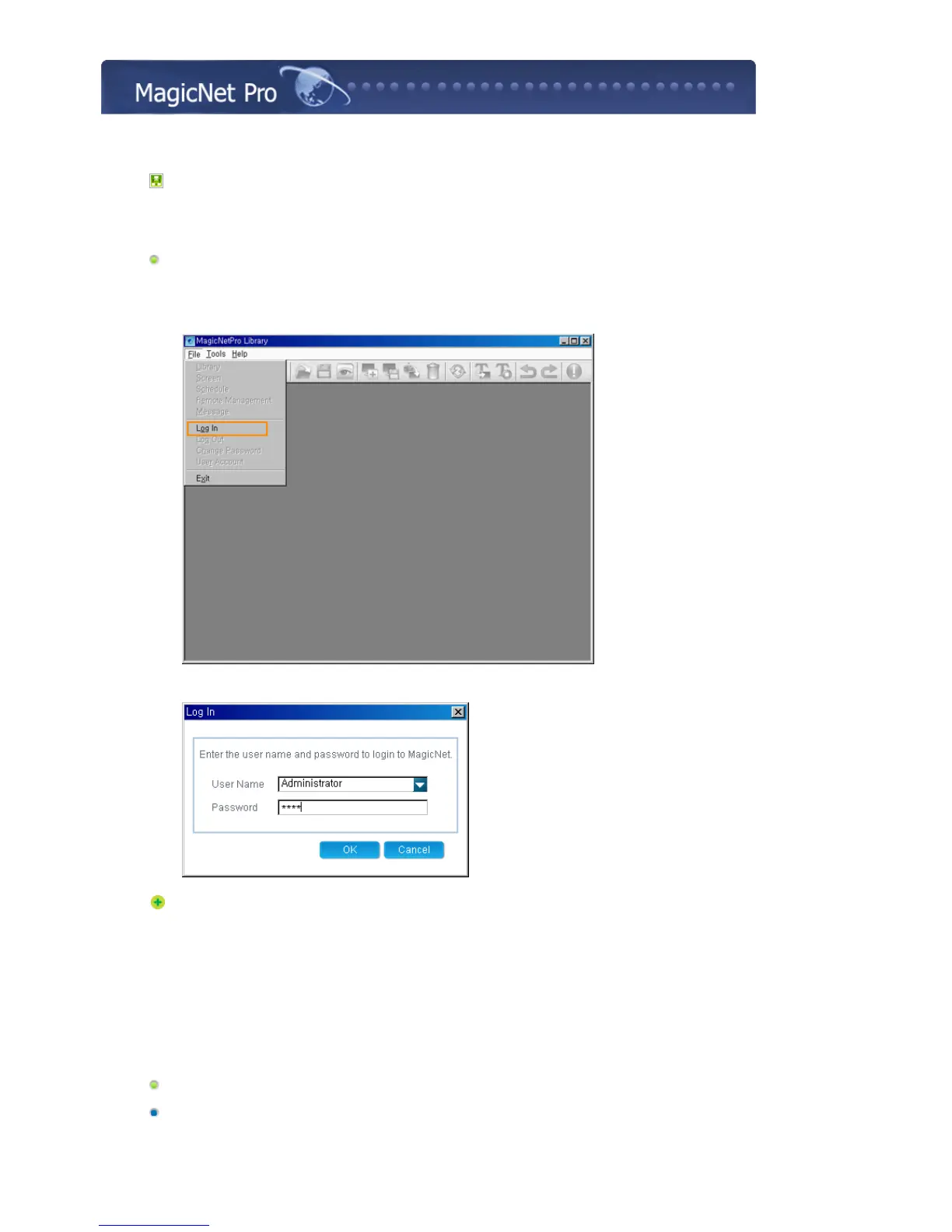
2. When MagicNetPro runs, select Log In from the File menu.
3. Enter the user name and password and click OK.
If you log in for the first time, select 'Administrator' as enter the user name and the password you
set when installing the program. (For information on how to install MagicNet, refer to Installing
MagicNet, Using the Software.)
Connecting a Monitor to a Server
Setting Up a Server
1. Click Option from the Tools menu to open the Server Setup window.







 To Next Page