What is MagicNet? | Using MagicNet |
Library
| Screen | Schedule
Remote Management | Message | Option |
Client / Contents
Server
| Troubleshooting
Library
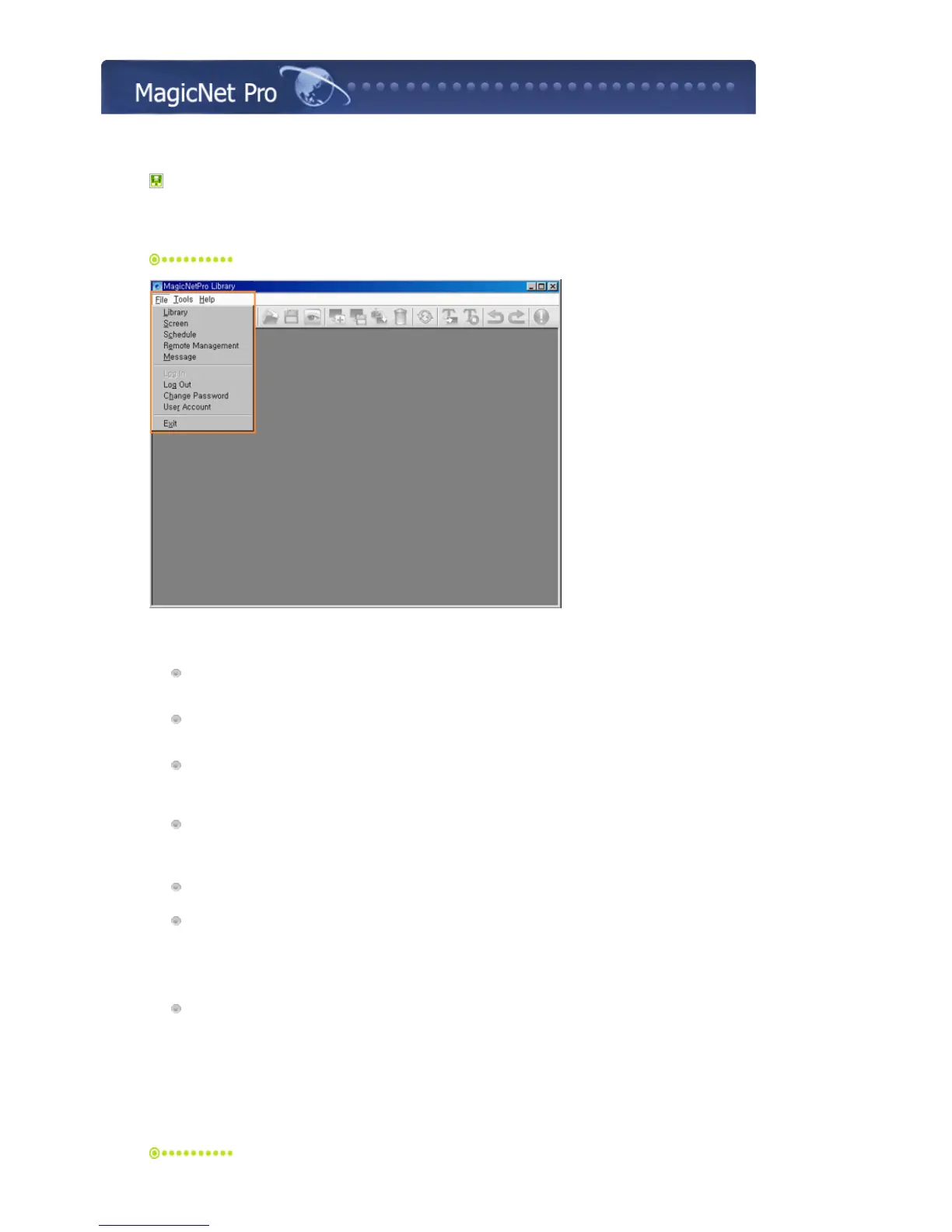
File Menu
Library / Screen / Schedule / Remote Management / Message
z
Creates a view or selects a created view for each menu item so that you can perform a
screen schedule and have basic control over the monitors from the server.
Close
z
Closes the screen view you are working in. If there are unsaved changes, a new window is
displayed so that you can save them.
Log In
z
You must log onto the server before you can use any one of its functions. You can log onto
the server to run a server program. The password you enter when installing MagicNet Pro
becomes the password of the Administrator account by default.
Log Out
z
Once you are logged onto the server, you can log out. If you log out from the server, all
created views are closed and if there are any unsaved changes, a new window is displayed
so that you can save them.
Change Password
z
Changes the password of the currently logged-in account.
User Account
z Creates, deletes and changes the user accounts that can log onto the server. There are two
types of accounts that can be created: Administrator and User Accounts.
{ Administrator : Has privileges for all server functions.
{ User : Has privileges for all functions except for changing the server options and user
account features.
Exit
z
Exits the program. If there are any unsaved changes, a new window is displayed in which
you can save the changes.
Tools Menu







 To Next Page