EasyManua.ls Logo

Samsung SyncMaster 400DXn - Page 95

Samsung SyncMaster 400DXn
176 pages
Print Icon
To Next Page IconTo Next Page
To Previous Page IconTo Previous Page
Loading...
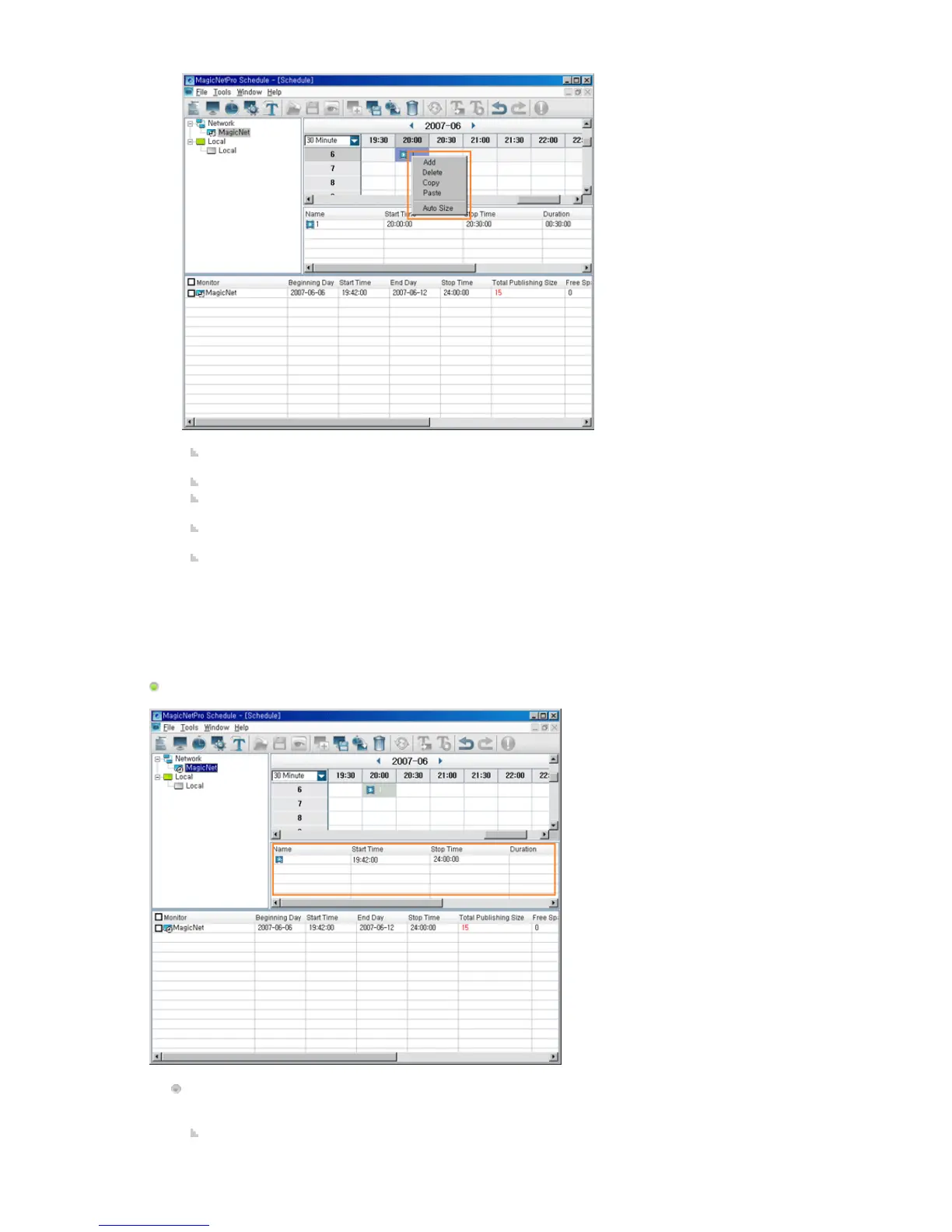
Add: Adds the screen you wish to schedule after selecting a monitor and time by clicking in the
EPG window.
Delete: Deletes the screen currently selected in the EPG window.
Copy / Paste: Copies the currently selected screen and pastes it after selecting a monitor and
time by clicking in the EPG window.
Auto Size: Chan
g
es the currentl
y
selected screen in accordance with the time of the back
g
round
set when editing automatically.
Time Combo Box: Changes the unit of the time axis to be currently displayed.
(1/5/10/30/60/120 Min)
List View
Sets the detailed items for the selected screen by double-clicking on the screen or by clicking the
created buttons.
Name: Changes the name of the selected screen. Only the screen name changes and the time
information is retained.