{
Background: Sets the background for the entire screen.
{
File: Sets the logo screen to be displayed on the background. (A flash, photo, or movie
file can be set.)
2 Schedule folder
z
Sets the directory which the content to be scheduled is downloaded to and managed in and
manages the size of the disk.
{
Target: Sets the target directory.
(You should set a directory on the D: drive or a removable disk, as the C: drive is used
for the system.)
{
Space: Sets the disk size limit used for the schedule.Between 10% to 90% of the
available free space can be set.
3Local schedule
z
Sets the options required when you perform a schedule using a USB device instead of the
network.
{
Copy and Play from a removable disk
: Copies the schedule that exists on a USB device to the schedule folder and then
plays the copied schedule. You can remove the USB device after copying it.
{
Play directly from a removable disk
: Plays the schedule that exists on a USB device directly. If you remove the USB
device, the schedule exits.
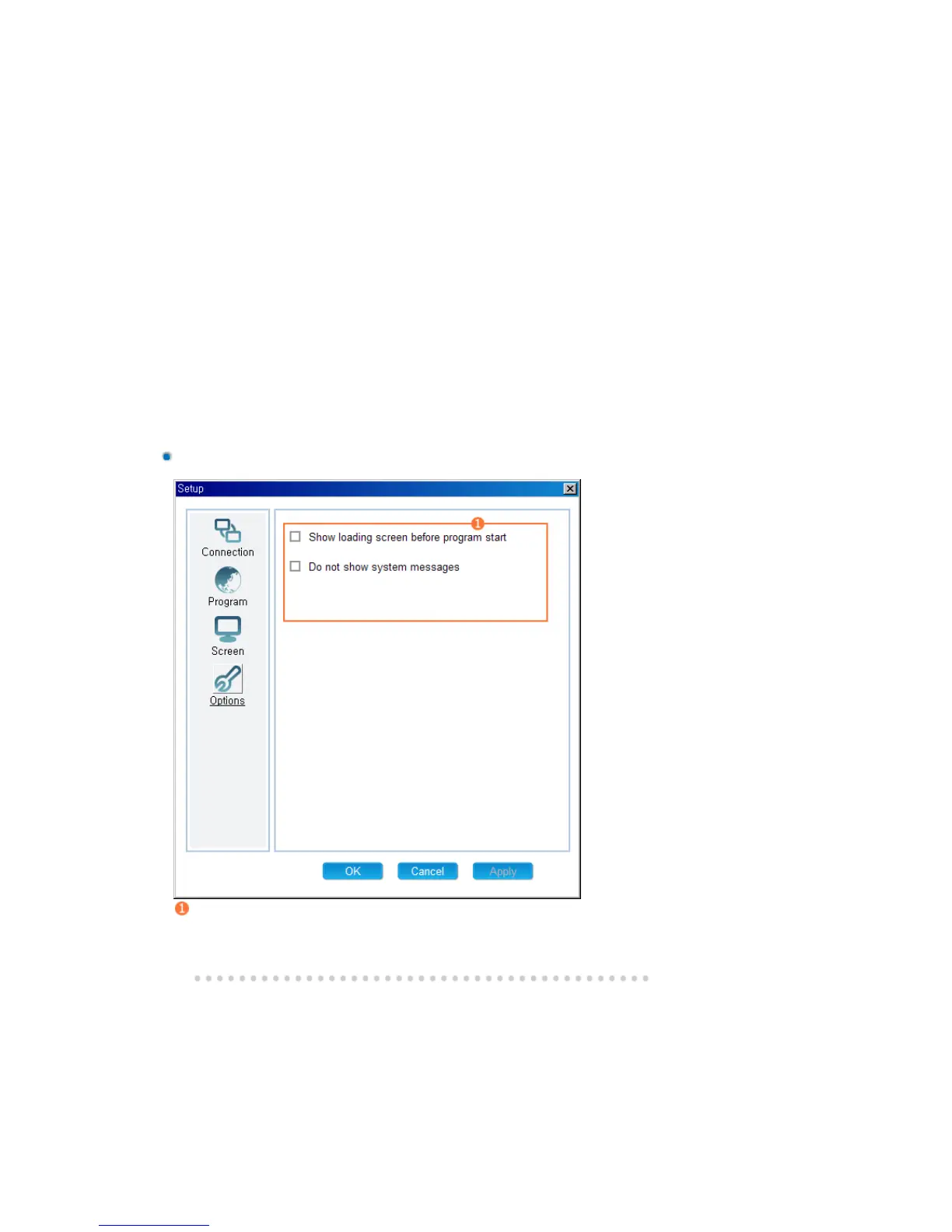
Options Tab
Other Options
z
Show loading screen before program start: Displays a loading screen from the time after
your computer is booted to the time before the main program starts.
z
Do not show system message: Do not show the system messages generated by Windows.







 To Next Page