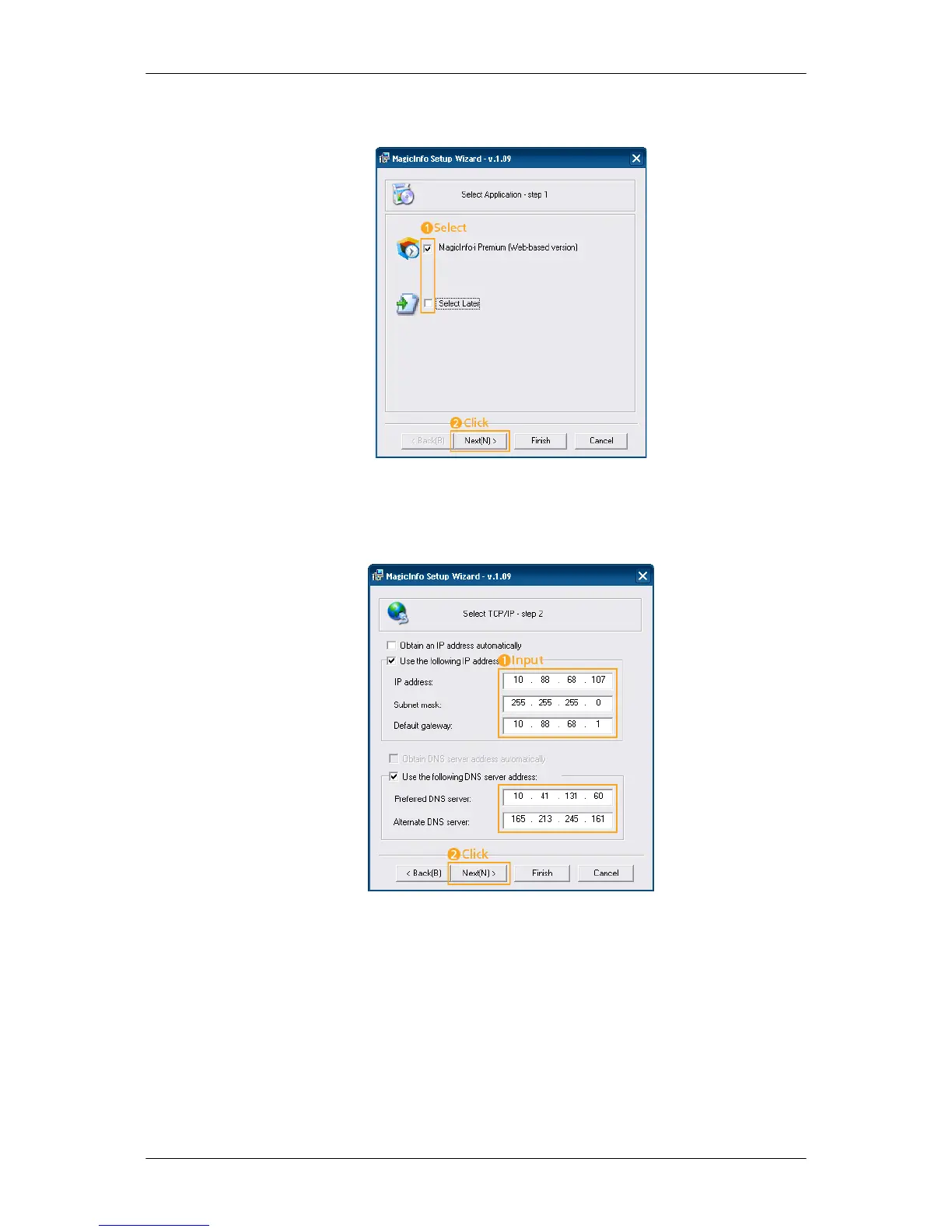
1. Select Application - step 1
You can select an Application to be executed in your computer when Windows starts.
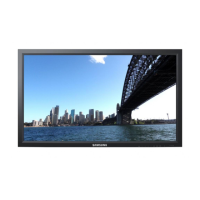
2. Select TCP/IP - step 2
In step 2 of MagicInfo Setup Wizard, you don’t have to go to Network Setting on the desktop
to make your settings for TCP/IP. You just do that at step 2 of MagicInfo installation.
3. Select Language - step 3
Adjusting the LCD Display




 To Next Page