Power port
Connect the power cord for your monitor to the power port on
the back of the monitor.
Signal Cable
Connect the signal cable to the video port on your computer
(video board, video card, or graphics card).
See Connecting the Monitor for further information regarding cable connections.
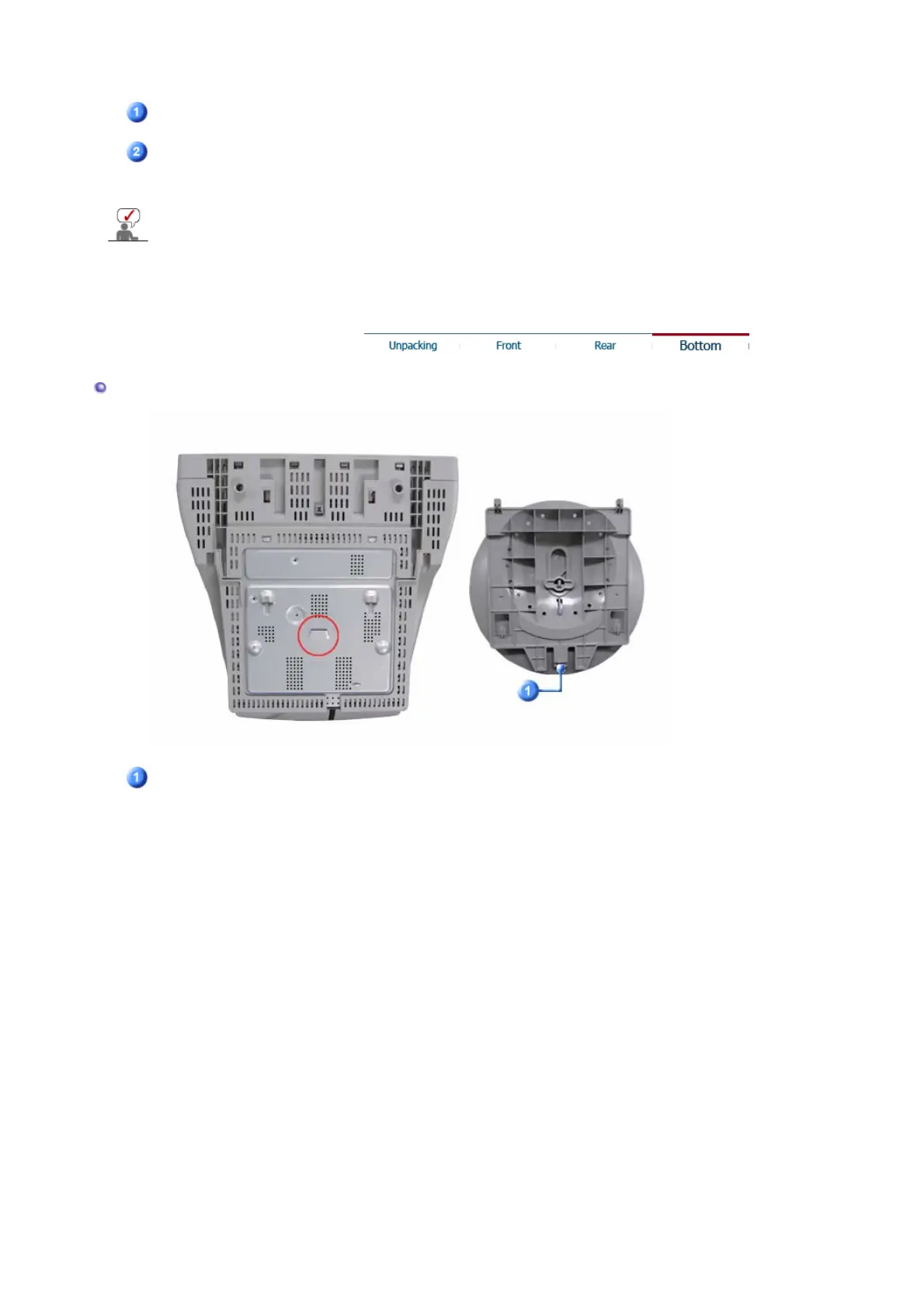
Bottom
Tilt/Swivel Base
You can separate the base from the monitor.












 To Next Page