Base Installat ion
When prompted by the operating system for the monitor driver, insert the CD-ROM
inc luded with this monitor. Driver i nstallation is sl ig htly different from one operating
system to another. Follow the directions as appropriate for the operating system you
have.
Prepare a blank disk and download the driver program file at the Internet web site shown
here.
z
Internet web site : http://www.samsung
http://www.samsungmonitor.com.cn/ (China)
Windows ME
1. Insert CD into the CD-ROM drive.
2. Click "Windows ME Driver".
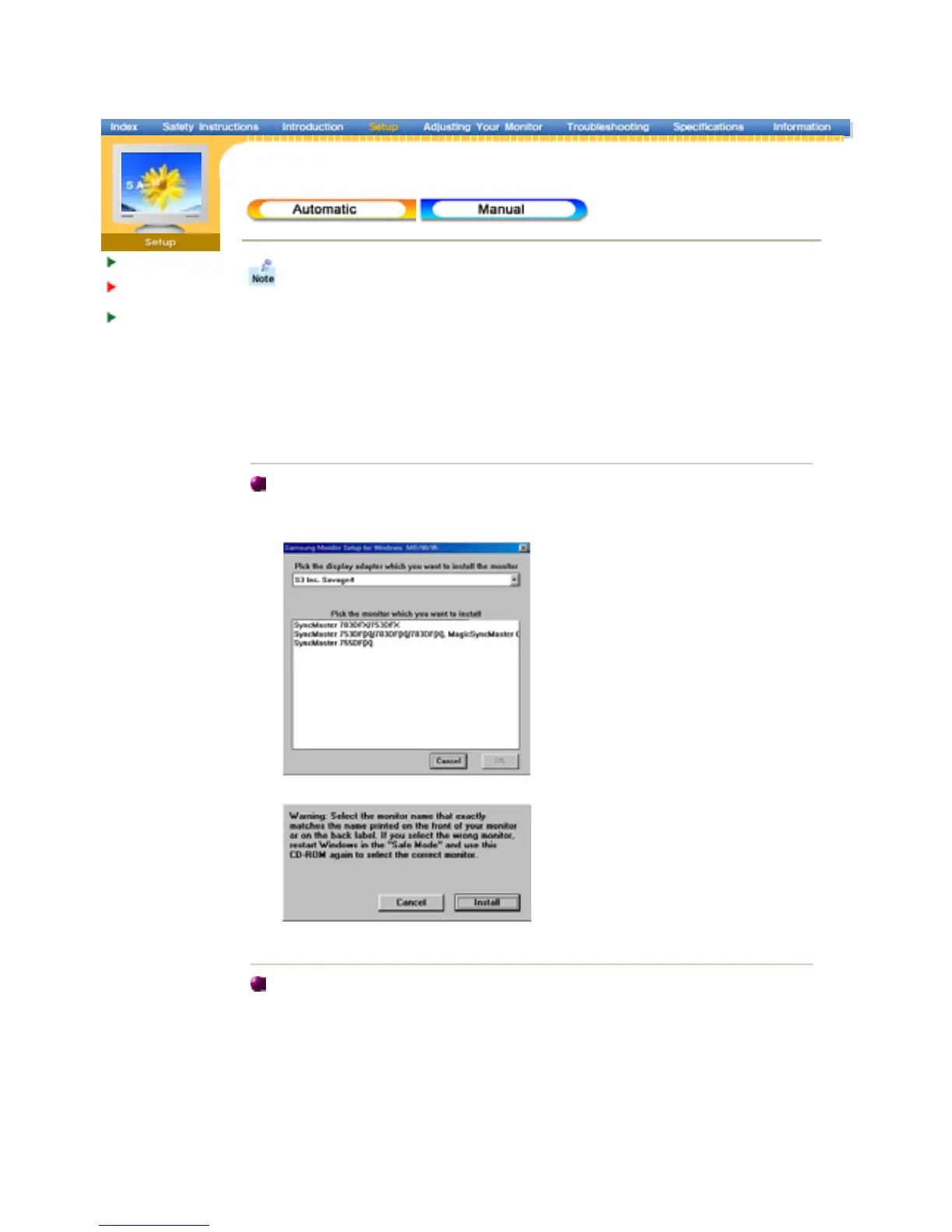
3. Choose your monitor model in the model list, then click the "OK" button.
4. Click the "Ins tall" button in the "Warning " window.
5. Monitor driver installation is completed.
Windows X P/2000
1. Insert CD into the CD-ROM driver.
2. Click "Windows XP/2000 Driver".
3. Choose your monitor model in the model list, then click the "OK" button.














 To Next Page