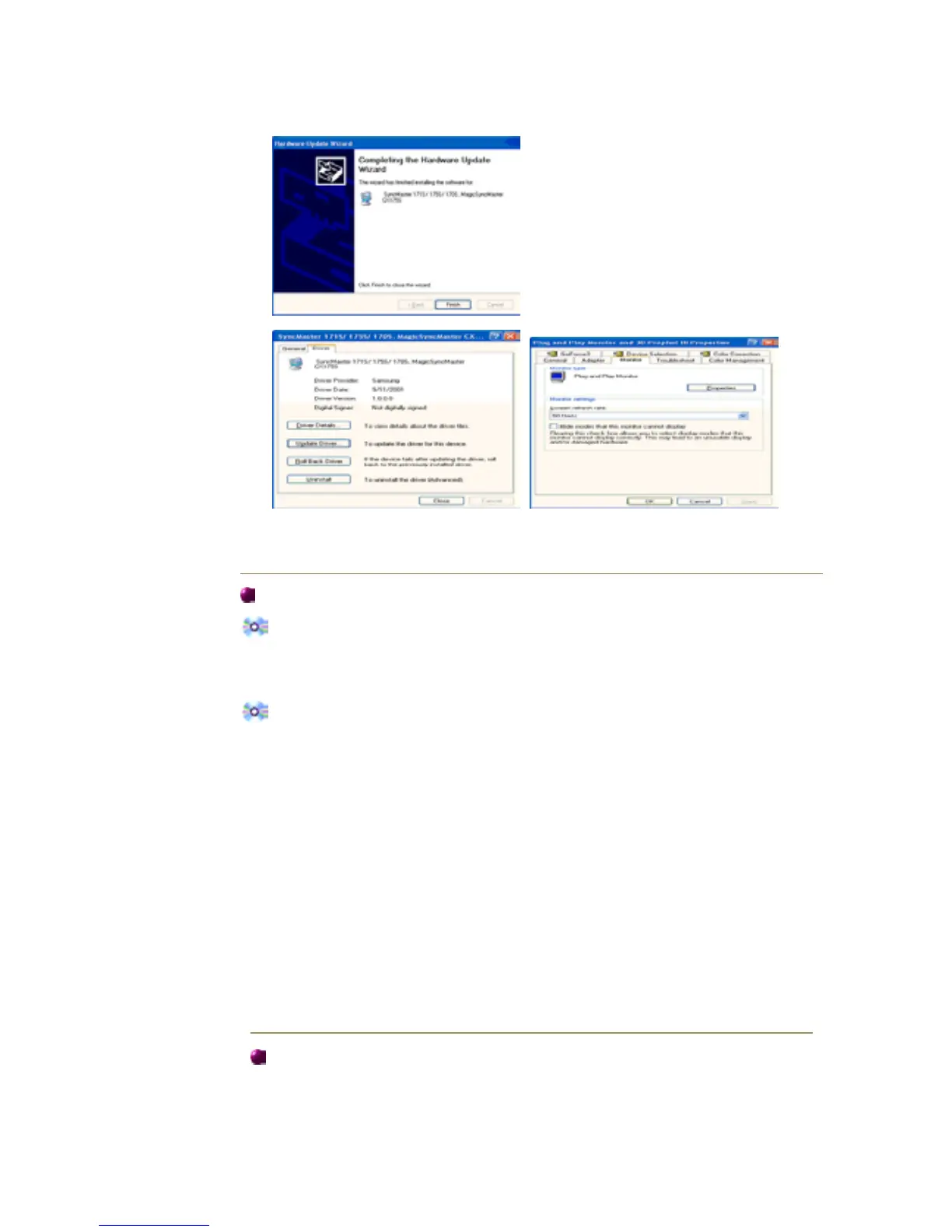
This monitor driver is under certifying MS logo,and this installation don't damage your
system.The certified driver will be posted on Samsung Monitor Homepage
http://www.samsung-monitor.com/.
9. Click the "Close " button then click "OK" button continually.
10. Monitor driver installation is completed.
Mic rosoft
®
Windows
®
2000 Operating System
When you can see "Digital Signature Not Found" on your monitor, follow these steps.
1. Choose "OK" button on the "Ins ert disk" window.
2. Click the "Browse " button on the "File Needed" window.
3. Choose A:(D:\Driver) then click the "Open" button and then click "OK" button.
How to install
1. Click "Start" , "Setting" , " Control Panel".
2. Double click the "Displ ay" Icon.
3. Choose the "Settings" tab and then click "Adv anced..".
4. Choose "Mon itor".
5. Click "Driver" and then click on "Update Driver.." then click on the "Next" button.
6. Choose "Display a list of the known drivers for this device so that I can choose a
specific driver" then click "Next" and then click "Have disk".
7. Click the "Browse " button then choose A:(D:\Driver).
8. Click the "Open" button, then click "OK" button.
9. Choose your monitor model and click the "Next" button then click "Next" button.
10. Click the "Finis h" button then the "Close " button.
If you can see the "Digital Signature Not Found" window then click the "Yes"button.
.
Mic rosoft
®
Windows
®
Millennium Operating System
1. Click "Start" , "Setting" , " Control Panel".
2. Double click "Display" icon.
3. Select the "Settings " tab and click "Adv anced Properties" button.
4. Select the "Monitor" tab.
5. Click the "Cha nge " button in the "Monitor Type" area.
6. Choose "Specify the location of the driver".














 To Next Page