Quick Setup Guide
Warranty Card/
Registration Card
(Not available in all
locations)
User's Guide,
Monitor Driver
Cable
D-sub Cable Power Cord
Front
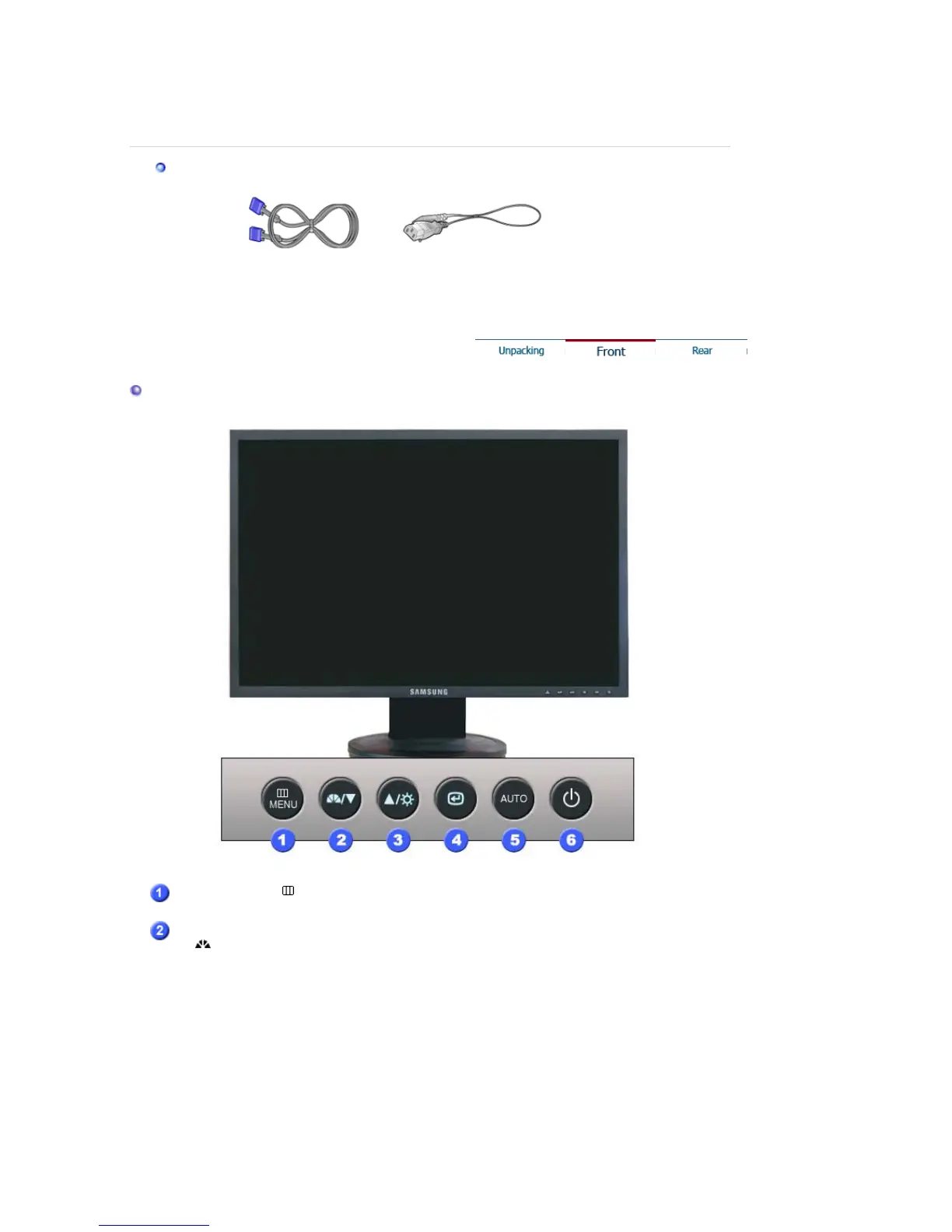
MENU button [ ]
Opens the OSD menu. Also use to exit the OSD menu or return to
the previous menu.
MagicBright™
[]
MagicBright™ is a new feature providing optimum viewing
environment depending on the contents of the image you are
watching. Currently four different modes are available: Custom,
Text, Internet, and Entertain. Each mode has its own pre-
configured brightness value. You can easily select one of four
settings by simply pressing MagicBright™ control button.
1) Custom
Although the values are carefully chosen by our engineers, the
pre-configured values may not be comfortable to your eyes
depending on your taste.
If this is the case, adjust the brightness and contrast by using
the OSD menu.
2) Text : Normal brightness
For documentations or works involving heavy text.











 To Next Page