Using the Product 3-5
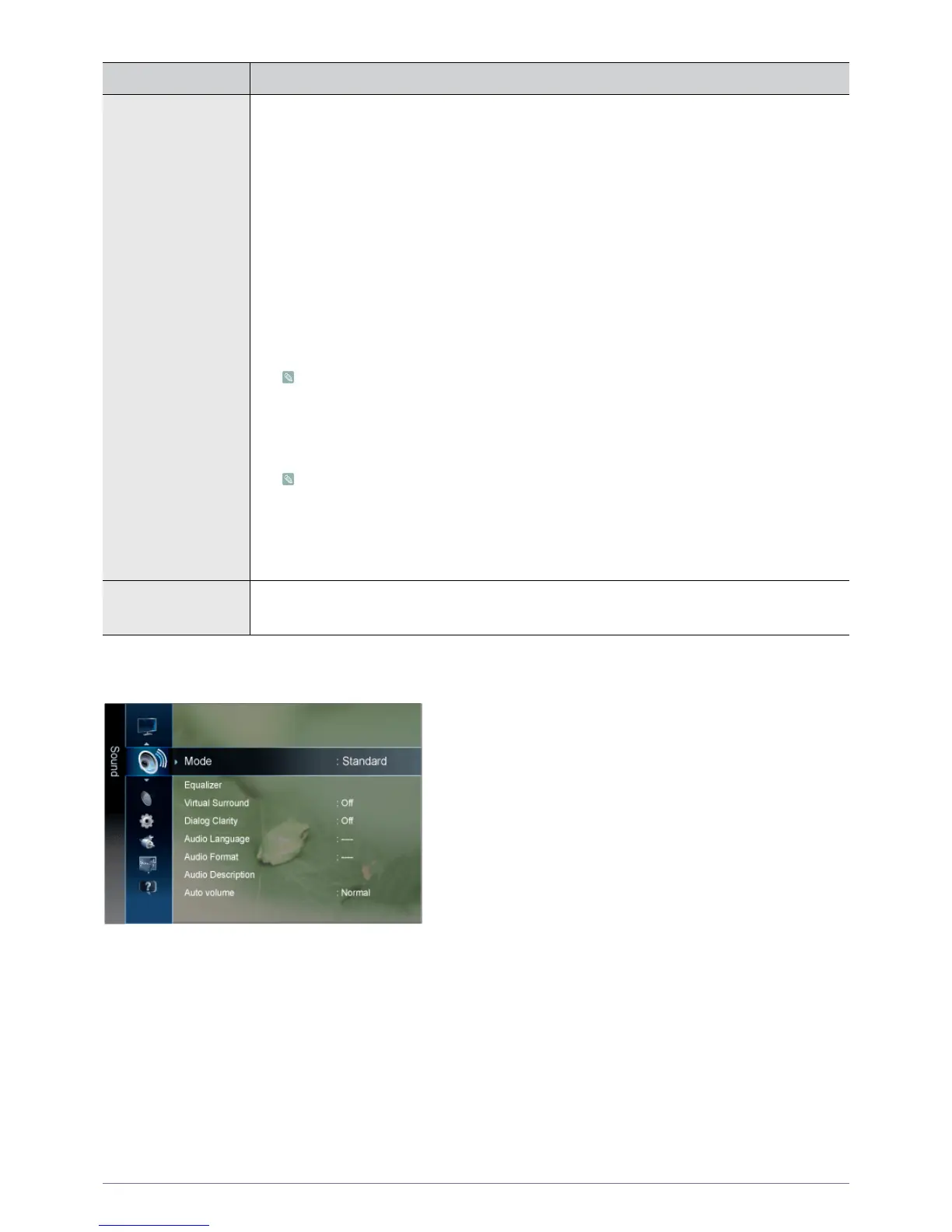
Sound
Picture Options • <Digital Noise Filter >
If the broadcast signal received by your TV is weak, you can activate the Digital Noise Reduction
feature to help reduce any static and ghosting that may appear on the screen.
• <Off> - <Low> - <Medium> - <High> - <Auto> - <Auto Visualization>
• <MPEG Noise Filter>
Reduces MPEG noise to provide improved picture quality.
• <Off> - <Low> - <Medium> - <High> - <Auto>
• <HDMI Black Level>
When a DVD or set-top box is connected to your TV via <HDMI>, it may cause a degradation in the
screen quality, such as an increase in the black level, a low contrast, or discoloration, etc.,
depending on the external device connected. In this case, adjust the screen quality of your TV by
configuring the <HDMI Black Level>.
• <Normal> - <Low>
This function is active only when the external device is connected via <HDMI>.
•<Film Mode>
The <Film Mode> feature offers you a theatre-quality viewing experience.
• <Off> - <Auto1> - <Auto2>
<Film Mode> is supported in <TV>, <Component> (480i / 1080i) and <HDMI>(480i / 1080i)
• <Auto Protection Time>
Set the time the screen remains idle with a still image until the screen saver is activated. The
screen saver prevents the formation of ghost images on the screen.
• <2 hours> - <4 hours> - <8 hours> - <10 hours> - <Off>
Picture Reset Picture parameters are replaced with the factory default values.
• <OK> - <Cancel>
MENU DESCRIPTION





 To Next Page