Using the Product 3-6
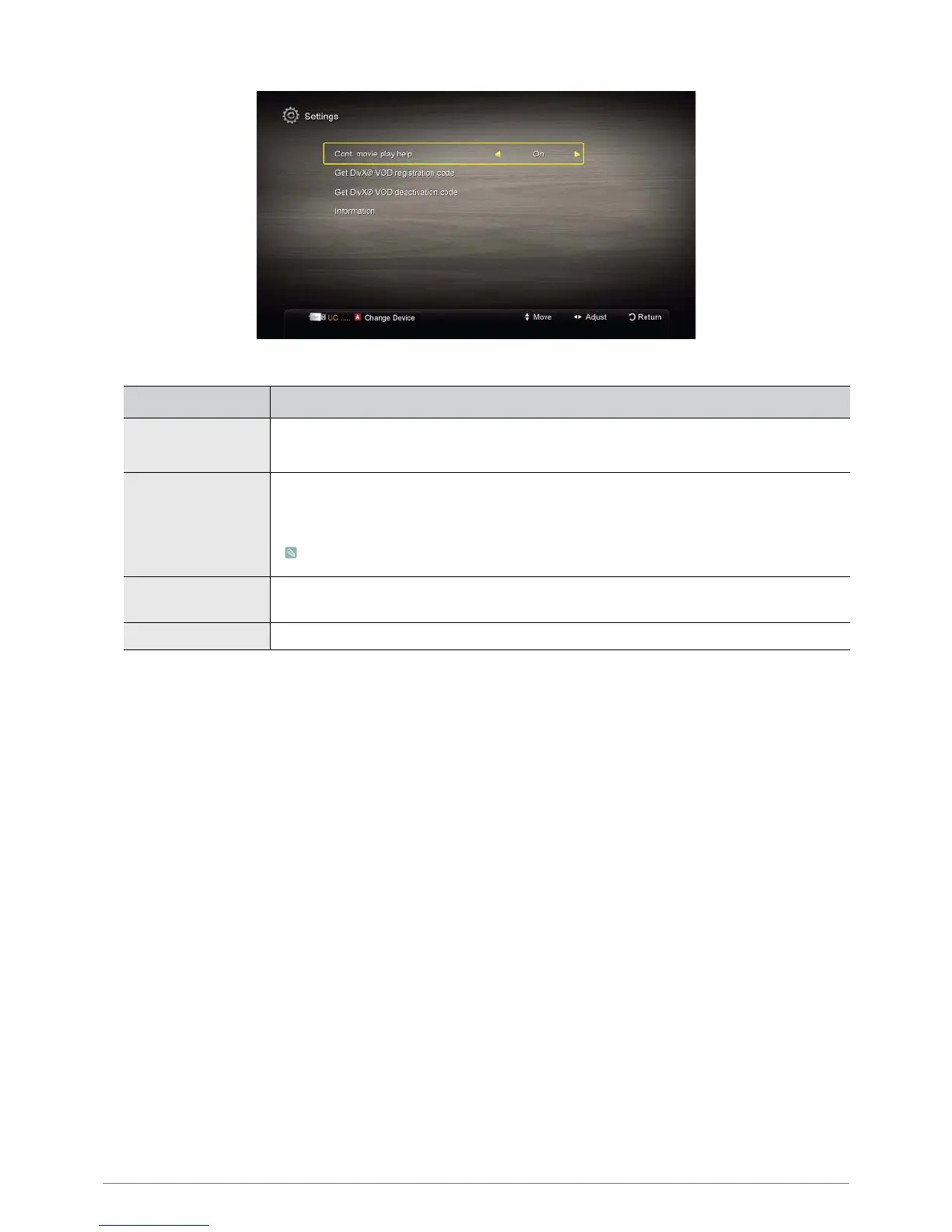
Settings
Using the Settings Menu
MENU DESCRIPTION
Cont. movie play help Select to display the help pop-up message for continuous movie playback.
• <On> - <Off>
Get the DivX® VOD
registration code
Shows the registration code authorized for the TV. If you connect to the DivX web site and register
the registration code with a personal account, you can download VOD registration file. If you play
the VOD registration using <Media Play>, the registration is completed.
For more information on DivX® VOD, visit "www.DivX.com."
Get the DivX® VOD
deactivation code
When DivX® VOD is not registered, the registration deactivation code is displayed. If you execute
this function when DivX® VOD is registered, the current DivX® VOD registration is deactivated.
Information Select to view information about the connected device.






 To Next Page