The keyboard will disappear and you will see a gray box
Start search!
1.
2.
3.
4.
With your finger or stylus, write in the gray box what you are looking
for – you will see your writing turn into text in the search bar
Success! Your handwriting was translated
into text!
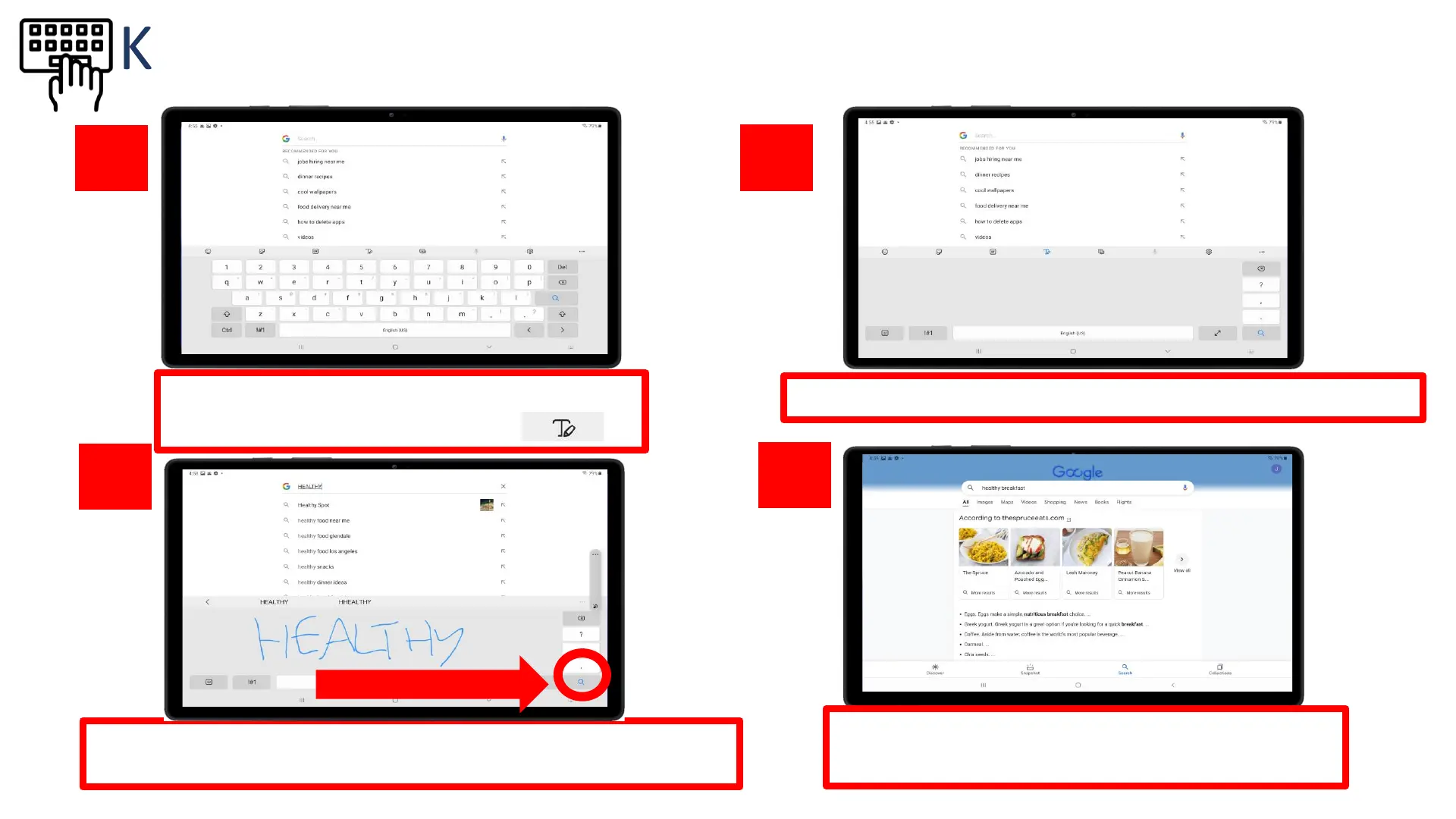
Tap on the “Handwriting” icon on the top
row of the keyboard
Start search!
Keyboard – Handwriting Feature









 To Next Page