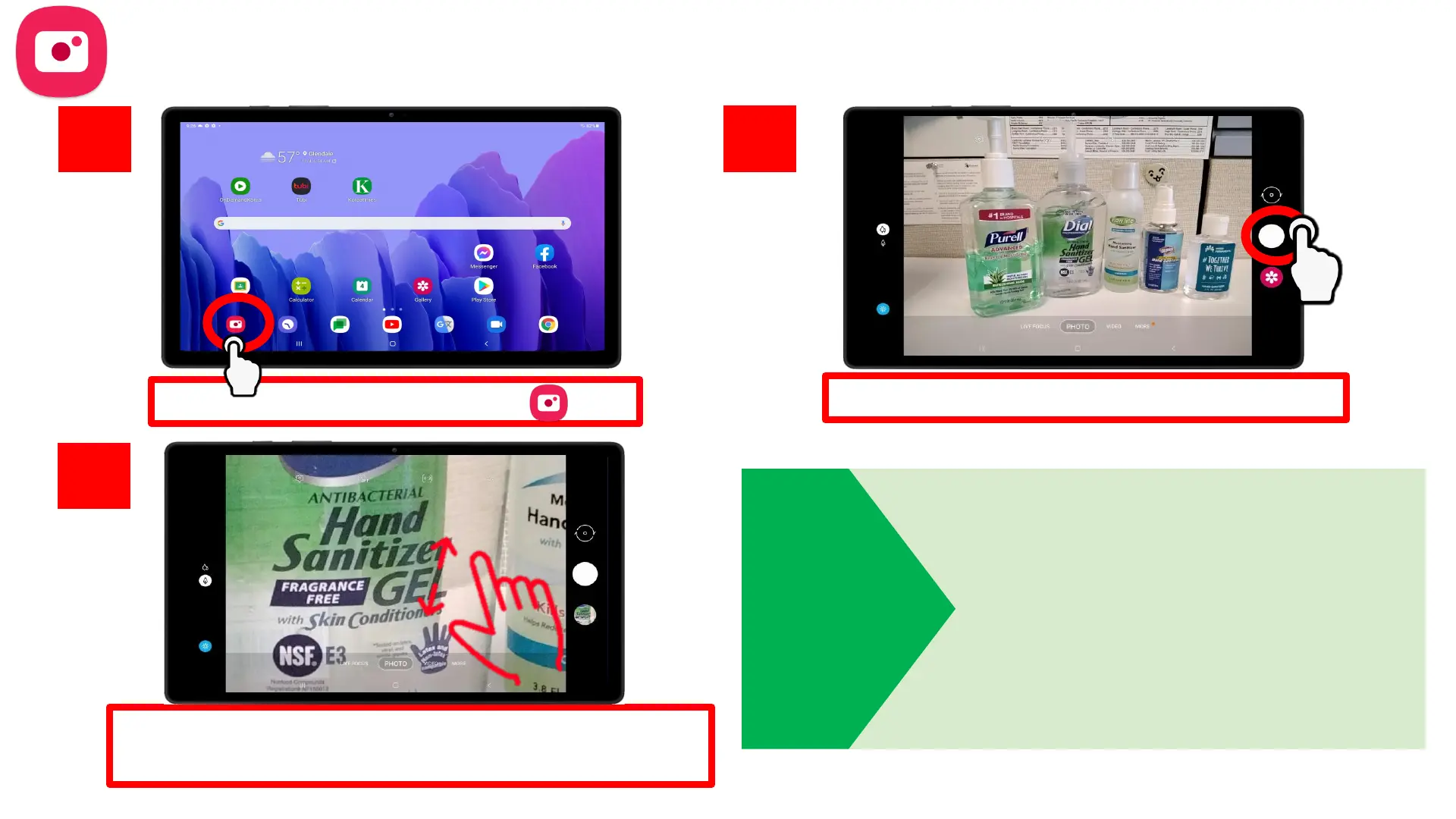
Tap on the Camera app
Tap the white button to take a photo
Start search!
1.
2.
3.
For more detailed shots, zoom in on your subject
and THEN tap the white button to take a photo
Taking Photos
TIP
• Zoom in on your subject by
SPREADING your index finger and
your thumb on the screen.
• Zoom out by PINCHING your index
finger and thumb.
Refresh your memory on gestures
on page 9!












 To Next Page