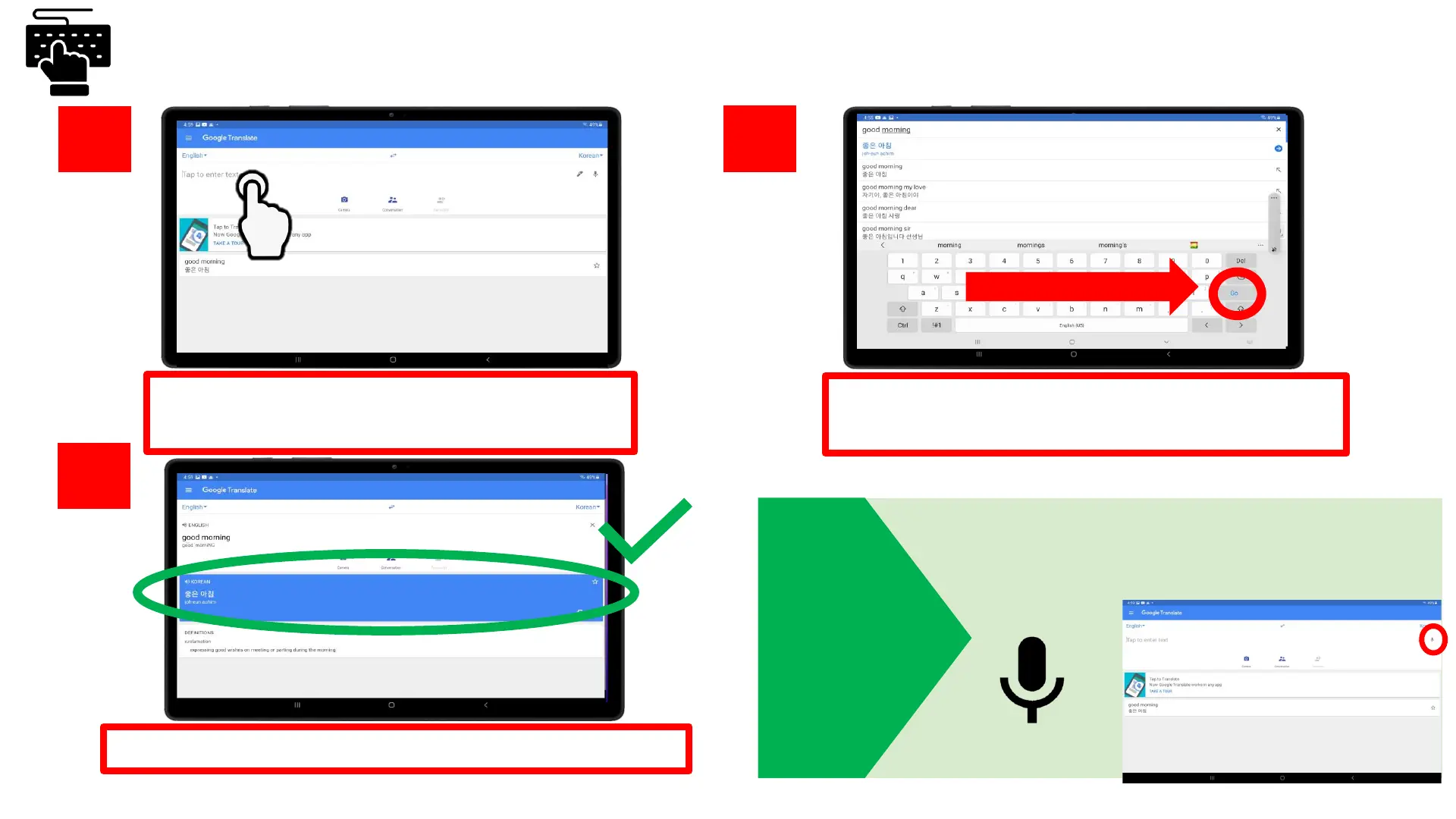
Tap on the text box “Tap to enter text” to
start typing
Once you’re done typing in what you want
to translate, click the blue “Go” button
Start search!
5.
6.
7.
Your words are now translated in the blue box!
Done typing!
TIP
Do you have a hard time typing? Click on the
microphone to speak the words that
you need to translate instead of typing
Text Translation









 To Next Page