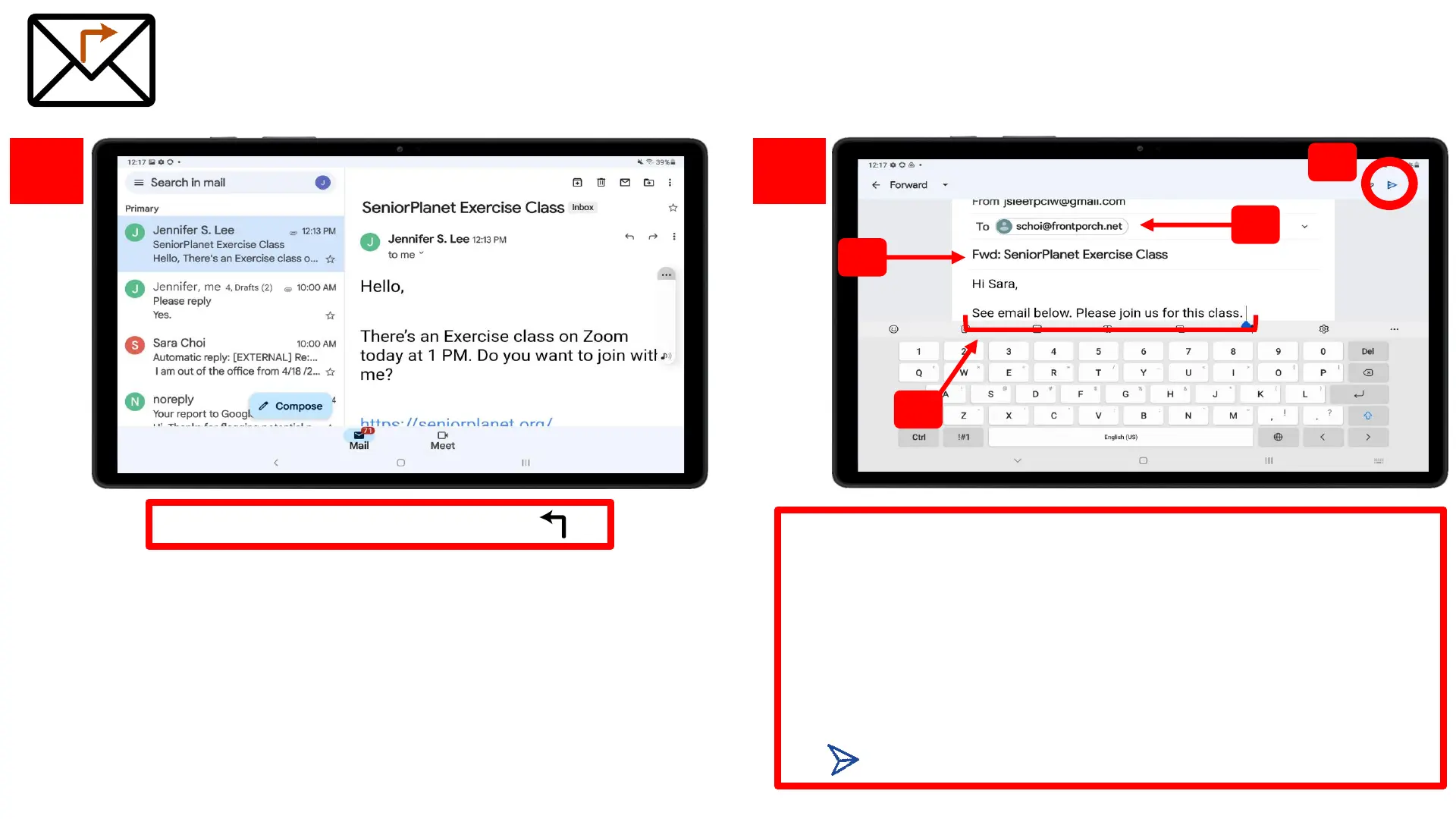
Tap on the “Reply” arrow
1.
2.
Forward an Email
1. The email of the person you want to forward the
email to
2. The subject line will automatically populate. Notice
how it starts with “FWD:” signifying that you are
FORWARDING the email to someone else
3. You can add a message explaining the email that you
are forwarding
4. SEND icon – tap icon when you’re ready to send
1
2
3
4










 To Next Page