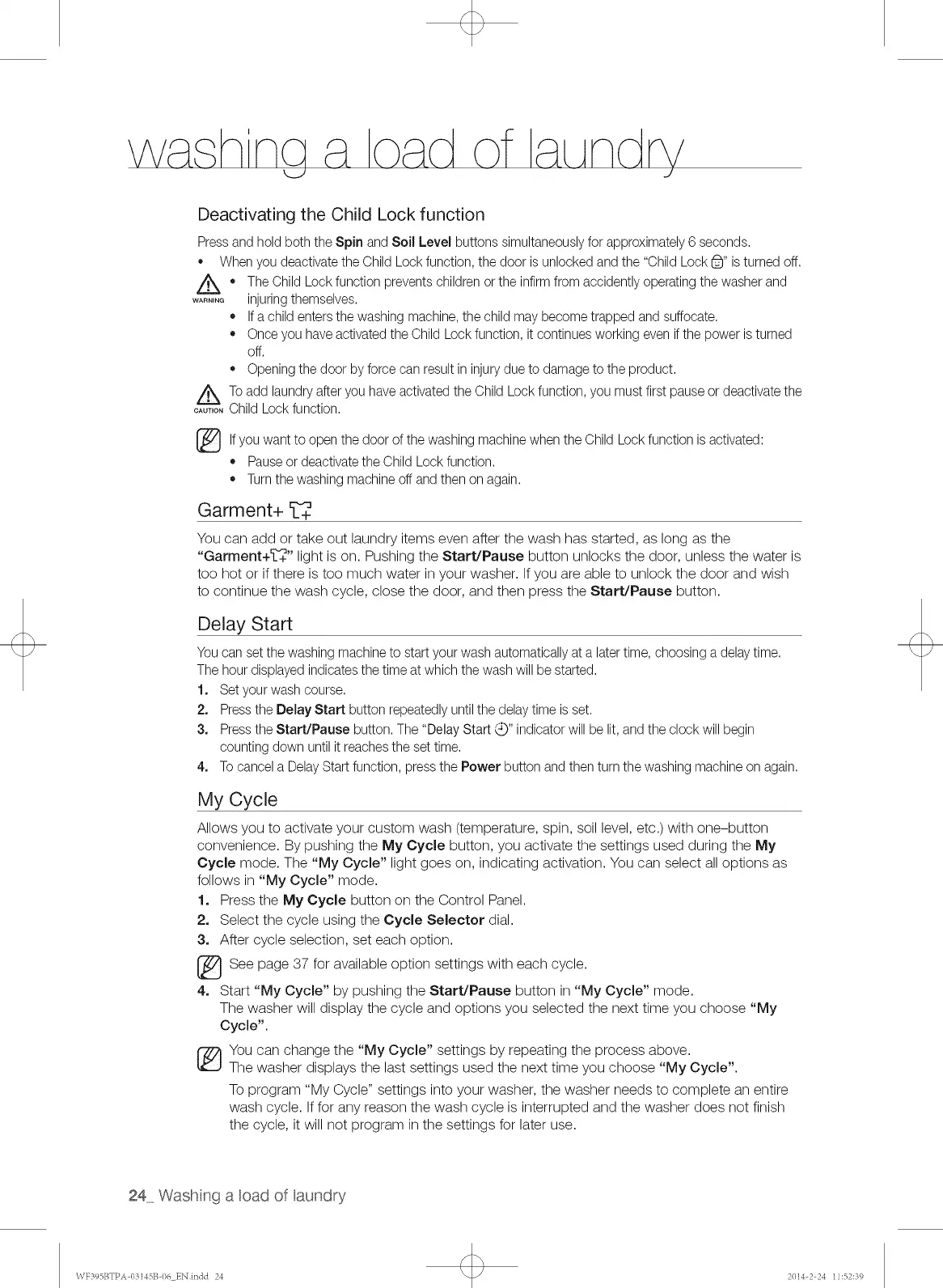
Deactivating the Child Lock function
Pressand hold both the Spin and Soil Level buttons simultaneouslyfor approximately6 seconds.
* Whenyou deactivate the Child Lockfunction, the door isunlocked and the "Child Lock6" is turned off.
Z_ * The Child Lockfunction prevents childrenor the infirmfrom accidently operatingthe washer and
....... injuringthemselves.
* If a child entersthe washing machine, the child may become trapped and suffocate.
* Once you haveactivated the Child Lockfunction, it continues working even ifthe power isturned
off.
* Openingthe door by force can result in injurydue to damageto the product.
_To add laundryafter you have activatedthe Child Lockfunction, you must first pause or deactivate the
....... Child Lockfunction.
_lf want to the door of the machinewhen the Child Lock function isactivated:
you open
washing
* Pause or deactivatethe Child Lock function.
* Turnthe washing machineoff and then on again.
Garment+ _++
You can add or take out laundry items even after the wash has started, as long as the
"Garment+_++" light is on. Pushing the Start/Pause button unlocks the door, unless the water is
too hot or if there is too much water in your washer. If you are able to unlock the door and wish
to continue the wash cycle, close the door, and then press the Start/Pause button.
Delay Start
You can setthe washing machineto start your wash automaticallyat a latertime, choosing a delay time.
The hour displayed indicatesthe time at which the wash will be started.
1. Set yourwash course.
2. Pressthe Belay Start button repeatedly untilthe delay time is set.
3. Pressthe Start/Pause button. The "Delay Start '_,_"indicator will be lit, and the clock will begin
counting down until it reachesthe set time.
4. Tocancel a DelayStart function, pressthe Power button and then turn the washing machineon again.
My Cycle
Allows you to activate your custom wash (temperature, spin, soil level, etc.) with one-button
convenience. By pushing the My Cycle button, you activate the settings used during the My
Cycle mode. The "My Cycle" light goes on, indicating activation. You can select all options as
follows in "My Cycle" mode.
1. Press the My Cycle button on the Control Panel.
2. Select the cycle using the Cycle Selector dial.
3. After cycle selection, set each option.
See page 37 for available option settings with each cycle.
4. Start "My Cycle" by pushing the Start/Pause button in "My Cycle" mode.
The washer will display the cycle and options you selected the next time you choose "My
Cycle".
You can change the "My Cycle" settings by repeating the process above.
The washer displays the last settings used the next time you choose "My Cycle".
To program "My Cycle" settings into your washer, the washer needs to complete an entire
wash cycle. If for any reason the wash cycle is interrupted and the washer does not finish
the cycle, it will not program in the settings for later use.
24 Wash n9 a cad of aundry
\VF395BTPA 03145B I)6 EN indd 24 2014-2 24 11:52:39


 To Next Page
 Loading...