EasyManua.ls Logo

Sankyo 8-CM - Shutter Operation; Working the Shutter Button; Running Lock; Auto-grip

Sankyo 8-CM
20 pages
Print Icon
To Next Page IconTo Next Page
To Previous Page IconTo Previous Page
Loading...
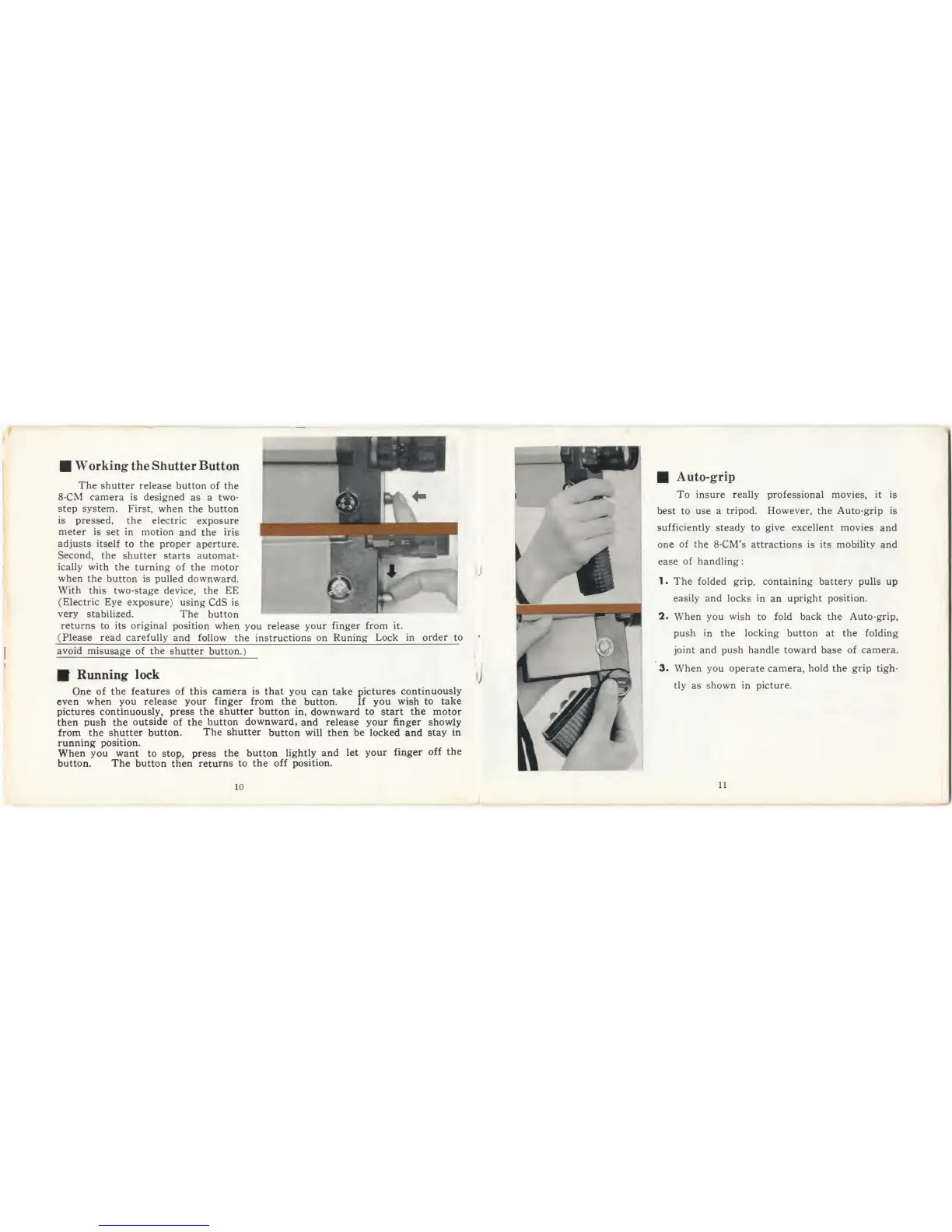
W
orking
the
Shutter Button
The
shutter release
button of the
8*CM camera is designed
as a two-
step system.
First, when
the button
is pressed,
the electric
exposure
meter
is
set
in
motion
and the
iris
adjusts
itself
to
the
proper
aperture.
Second,
the
shutter
starts
automat-
ically
with the
turning of the motor
when
the
button
is
pulled downward.
With this
two-stage
device,
the
EE
(Electric Eye exposure)
using
CdS
is
very stabilized.
The
button
returns
to its
original
position when
you
release
your
finger
from it.
(Please
read carefully and
follow
the
instructions
on
Runing Lock
in order to
avoid
misusage of
the
shutter
button.)
Running lock
One
of the
features
of
this camera is that
you can take
pictures
continuously
even when
you
release your finger from the
button.
If you
wish
to
take
pictures continuously,
press the shutter button
in,
downward
to
start
the
motor
then
push
the
outside
of the
button
downward,
and
release your finger showly
from the shutter button.
The
shutter
button will then
be locked and stay
in
running position.
When
you
want
to
stop, press
the button
lightly
and
let
your
finger
off
the
button. The
button then
returns to
the
off position.
10
Auto-grip
To
insure really
professional movies,
it is
best to
use
a
tripod. However, the Auto-grip is
sufficiently
steady to
give
excellent movies
and
one
of
the
8-CM’s attractions
is its mobility
and
ease
of handling
:
1.
The folded grip,
containing battery pulls up
easily
and
locks
in
an
upright
position.
2
.
When you
wish
to
fold back
the
Auto-grip,
push in the locking
button
at the folding
joint
and
push
handle
toward
base of
camera.
3
.
When you
operate camera,
hold
the
grip
tigh-
tly
as
shown in
picture.
11