EasyManua.ls Logo

Sanwa GMAERG16 - User Manual

Sanwa GMAERG16
9 pages
Print Icon
To Next Page IconTo Next Page
Loading...
2.注意
●本製品お使用た動作障害や
ータどの弊社は一切の責任いかね
●本製品は一般的な職場やご家庭での使用本書に
 記載でのご使用に害が発生場合に弊社は
 一切の責任
●医療機器や人命に直接的たは間接的に高い安全性や
 信頼性が求め境下で使用ない
●高い安全性や信頼性が要求機器や電算機直接的
たは間接的にでは使用ない
●飛行機の通信害すれが飛行機で本製品
 使用ない
●ペの医療機器使医師に談の上
 使用
1.はめに
この買い上げいただ誠に
います
1.致礼
尊敬的客户,感谢您选购我司商品,在此致以最诚挚的谢意。 
2.使用
因使用本品及件而造成的数据失或设备失,恕我司概不负责
●本品限于职场办公和家庭生活使用若在上述情况外使用而造成
失的恕我司概不负责
勿直接或接地将本品用于医器械及涉及人全的系上,
 同不要在安全性和可靠性有高度要求的境下使用
勿直接或接地将本品用于安全性和可靠性有高度要求的系统设备上。
于本品有可能干扰飞机通信系勿在机内使用
●装有心起搏器等医器械的客得医生同意后再使用本品
 人体工学鼠使用
3.健康に注意
マウ長時間操作す手や腕や首
肩な担が掛か痛みや痺れ
その作を繰場合には深刻な障害
れが
操作中にみや痺れ直ち
止し場合には医師に相談
ン操憩を取手や腕や首肩な
担が掛か心がけ
5.対応機種
Windows搭載(DOS/V)パAppleMac
※Macではサイドボ使せん
※USBポAタイネクタ)持つ機種
4.仕様
10001600count/inch
光学方式(ブルLED)
2ボ2サ(クロ)タン
カウえボ
ボタ
分解能
読み取方式
W67×D105×H58mm約118g
ズ・重
約1.5m
ケー
5. 适用设备
有WindowsDOS/V电脑AppleMac系列
※AppleMac境下无法使用侧键网页浏览后退键·前进键
※适用有USB接口(A型)的机
4.规格参数
10001600DPI
光学(蓝光LED
左键、右键、网页退前进滚轮按键、
DPI切换键
按键
分辨率
读取方式
W67×D105×H58mm118 g
尺寸·重量
1.5m
线长
2.Caution
•Thecompanyisnotliableforanydamages,suchaslivemotion
defects,dataloss,etc.,causedbyusingthisproductorsoftware.
•Thisproductisintendedforuseingeneralworkplacesand
homes.Thecompanydoesnotassumeresponsibilityinthe
eventofdamagescausedbyusinginanyotherplaces.
•Refrainfromusinginenvironmentswheremedicalinstruments
andsystemsdirectlyorindirectlyrelatedtohumanlifeare
required,andwhereahighlevelofsafetyandresponsibilityis
required.
•Refrainfromusingdirectlyorindirectlywithequipmentand
computersystemsinwhichahighlevelofsafetyand
responsibilityarerequired.
•
Donotusethisproductonairplanesasitmayinterferewiththe
airplane
communicationsystem.
•
Pleaseconsultyourdoctorbeforeusingthisproductifyouusea
pacemaker
orothermedicaldevice.
NOTE:
Thisequipmenthasbeentestedandfoundtocomplywith
thelimitsforaClassBdigitaldevice,pursuanttopart15of
theFCCRules.Theselimitsaredesignedtoprovide
reasonableprotectionagainstharmfulinterferenceina
residentialinstallation.Thisequipmentgeneratesusesand
canradiateradiofrequencyenergyand,ifnotinstalledand
usedinaccordancewiththeinstructions,maycauseharmful
interferencetoradiocommunications.However,thereisno
guaranteethatinterferencewillnotoccurinaparticular
installation.Ifthisequipmentdoescauseharmful
interferencetoradioortelevisionreception,whichcanbe
determinedbyturningtheequipmentoffandon,theuseris
encouragedtotrytocorrecttheinterferencebyoneor
moreofthefollowingmeasures:
-Reorientorrelocatethereceivingantenna.
-Increasetheseparationbetweentheequipmentand
receiver.
-Connecttheequipmentintoanoutletonacircuitdifferent
fromthattowhichthereceiverisconnected.
-Consultthedealeroranexperiencedradio/TVtechnician
forhelp
Changesormodificationsnotexpresslyapprovedbythe
partyresponsibleforcompliancecouldvoidtheuser's
authoritytooperatetheequipment.
ThisdevicecomplieswithPart15oftheFCCRules.
Operationissubjecttothefollowingtwoconditions:
(1)thisdevicemaynotcauseharmfulinterference,and(2)
thisdevicemustacceptanyinterferencereceived,including
interferencethatmaycauseundesiredoperation.
1.Opening
ThankyouforpurchasingthisErgonomicmouse.
3.WarningsRegardingHealth
Operatingthemouse,trackball,andkeyboardforlongperiodsof
timecanleadtopainornumbnessinhands,arms,neck,
shoulders,etc.Seriousdamagemaybeincurredifsuchuseis
repeated.
Ifyoufeelpainornumbnesswhileoperatingthemouseor
keyboard,stopuseimmediatelyandconsultadoctorifnecessary.
Takeregularbreaksfromdailycomputerworktoavoidstrainon
hands,arms,neck,shoulders,etc.
5.Compatiblemodels
Windows(DOS/V)personalcomputer
Apple/Macseries
*ForMacseries,sidebuttonscannotbeused.
*ModelswithaUSBport(A-typeconnector).
Manual/取扱説明書/
使用说明书
Wired
4.Specifications
10001600countperinch
OpticalsensorsystemBlueLED
2buttons,2sidebuttons,wheelbutton(scroll),
countswitchbutton
Buttons
Resolution
Readingmethod
W67×D105×H58mm/approx.118g
Size/Weight
approx.1.5m
Cablelength
GMAERG16
Ergonomic Mouse
YouTubeUserʼ sManual
WiredMouse
3.健康须知
长时间使用鼠迹球键盘手臂部和肩等增加
痛或酸麻此以身体损伤使用鼠键盘过
中感痛或酸麻立刻停止使用并根据情况咨医生
此外注意常使用电脑时要多休息多活不要身体担。
Question and Answer IconNeed help?

Do you have a question about the Sanwa GMAERG16 and is the answer not in the manual?

Summary

Opening

Caution

Warnings Regarding Health

Specifications

Compatible Models

Name of Parts

Connection with Mouse

Troubleshooting

Problems specific to Mac products

Provides troubleshooting steps for Mac users experiencing reversed scroll direction issues.

Warranty Term

Inquiries

Summary

Opening

Caution

Warnings Regarding Health

Specifications

Compatible Models

Name of Parts

Connection with Mouse

Troubleshooting

Problems specific to Mac products

Provides troubleshooting steps for Mac users experiencing reversed scroll direction issues.

Warranty Term

Inquiries

Overview

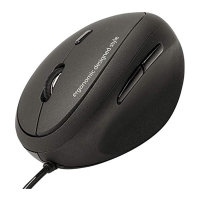
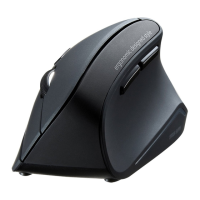
This document describes the Ergonomic Wired Mouse (Model: GMAERG16), a peripheral designed for comfortable and efficient computer interaction.

Function Description

The Ergonomic Wired Mouse is a standard computer mouse with an ergonomic design, intended to reduce strain during prolonged use. It features a wired connection, ensuring a stable and reliable link to your computer. The mouse incorporates an optical sensor system with a Blue LED for precise tracking. It offers adjustable sensitivity (DPI) to suit different user preferences and tasks. The inclusion of side buttons enhances functionality, though their availability may vary depending on the operating system.

Important Technical Specifications

  • Resolution: The mouse offers two selectable resolutions: 1000 counts per inch (DPI) and 1600 counts per inch (DPI). This allows users to adjust the cursor speed and precision according to their needs.
  • Reading Method: It utilizes an optical sensor system with a Blue LED. Blue LED sensors are known for their ability to track on a wider variety of surfaces compared to traditional red optical sensors.
  • Buttons: The mouse is equipped with a total of five buttons:
    • Two main buttons (Left and Right click).
    • A wheel button, which also functions as a scroll wheel.
    • Two side buttons (Back and Forward).
    • A count switch button, used to toggle between the 1000 DPI and 1600 DPI settings. The LED indicator (off for 1000 DPI, red for 1600 DPI) provides visual feedback on the current DPI setting.
  • Size/Weight: The physical dimensions of the mouse are W67 × D105 × H58mm, and it weighs approximately 118g. This compact and lightweight design contributes to its ergonomic appeal.
  • Cable Length: The mouse comes with a cable approximately 1.5 meters long, providing ample reach for most desktop setups.
  • Compatibility:
    • Operating Systems: Compatible with Windows (DOS/V) personal computers and Apple/Mac series.
    • Connection: Requires a USB port (A-type connector).
    • Mac Specifics: It's important to note that the side buttons (Back/Forward) cannot be used with Mac series computers.

Usage Features

The Ergonomic Wired Mouse is designed for ease of use and adaptability across different computing environments.

  • DPI Adjustment: The count switch button allows users to quickly switch between 1000 DPI and 1600 DPI. This feature is beneficial for tasks requiring different levels of precision, such as graphic design (lower DPI) or general browsing (higher DPI). The LED indicator provides clear feedback on the active DPI setting.
  • Ergonomic Design: While not explicitly detailed, the "Ergonomic Mouse" designation suggests a shape and contour designed to fit the hand more naturally, reducing wrist and arm strain during extended periods of use.
  • Plug-and-Play Connectivity: The mouse connects via a standard USB A-type connector. For Windows PCs, simply plug the mouse into an available USB port. The system will automatically detect the hardware and launch a wizard to update the device driver, making the setup process straightforward. It is recommended to close other applications before connecting the mouse to ensure a smooth installation.
  • Side Buttons: The Back and Forward side buttons offer convenient navigation in web browsers and file explorers, improving workflow efficiency. However, Mac users should be aware that these buttons are not functional on their systems.
  • Scroll Wheel: The integrated scroll wheel facilitates easy vertical navigation through documents and web pages.

Maintenance Features

While the manual does not explicitly detail maintenance procedures, general best practices for optical mice apply:

  • Cleaning: Keep the optical sensor area on the underside of the mouse clean and free from dust or debris to ensure optimal tracking performance. A soft, dry cloth can be used for this purpose.
  • Surface Considerations: The blue LED sensor is versatile, but users should be aware that highly reflective surfaces (like mirrors) or transparent surfaces (like glass) may cause the cursor movement to be less smooth. Regularly patterned surfaces may also degrade tracking performance. Using a mouse pad or a non-reflective, opaque surface is recommended for consistent performance.
  • Troubleshooting:
    • Cursor Movement Issues: If the cursor movement is not smooth, consider the surface you are using. As mentioned, reflective or transparent surfaces can interfere with the blue LED sensor.
    • Mac Scroll Direction: For Mac users experiencing reversed forward and backward scroll movements, the issue can be resolved through system settings:
      1. Go to the Apple menu.
      2. Select "Current System Settings."
      3. Choose "mouse."
      4. Deselect the "Scroll Direction: Natural" check box.
  • Health Warnings: The manual emphasizes the importance of health precautions during prolonged use of input devices. To prevent pain or numbness in hands, arms, neck, and shoulders, users are advised to:
    • Stop use immediately and consult a doctor if pain or numbness occurs.
    • Take regular breaks from computer work.
  • FCC Compliance: The device complies with Part 15 of the FCC Rules, indicating it has been tested and found to meet the limits for a Class B digital device. Users are advised on measures to correct potential interference with radio or television reception, such as reorienting antennas, increasing separation between equipment, or consulting a technician. Any changes or modifications not expressly approved by the manufacturer could void the user's authority to operate the equipment.
  • Warranty: The product comes with a 1-year warranty. For inquiries or support, users can contact support-en@sanwa.com.
  • Medical Device Caution: Users with pacemakers or other medical devices are advised to consult their doctor before using this product. The product should also not be used in environments where medical instruments or systems related to human life are required, or where a high level of safety and responsibility is paramount, such as on airplanes, due to potential interference with communication systems.

Sanwa GMAERG16 Specifications

General IconGeneral
BrandSanwa
ModelGMAERG16
CategoryMouse
LanguageEnglish

Related product manuals