| 9
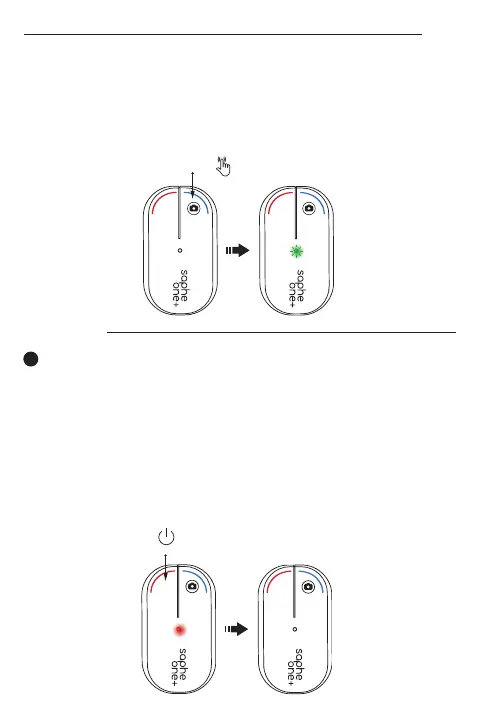
Tenere premuto il pulsante blu per due secondi per verifica-
re la connessione con il telefono. Se la connessione è attiva,
il led visualizzerà una spia verde lampeggiante.
Mantenga presionado el botón azul durante dos segundos
para comprobar la conexión. Si está conectado correcta-
mente, el LED mostrará una luz verde parpadeante.
IT
ES
2 sec
To turn off the Saphe One+ press and hold the red button
for 5 seconds.
Um Saphe One+ auszuschalten, drücken und halten Sie die
rote Taste für 5 Sekunden.
Pour éteindre le Saphe One+, appuyez sur le bouton rouge
et maintenez-le enfoncé pendant 5 secondes.
Per spegnere il dispositivo Saphe One+ tenere premuto il
pulsante rosso per 5 secondi.
Para apagar el Saphe One+, mantenga presionado el botón
rojo durante 5 segundos.
EN
DE
FR
IT
ES
TURN OFF
5 sec.
Turned off


 To Next Page