| 15
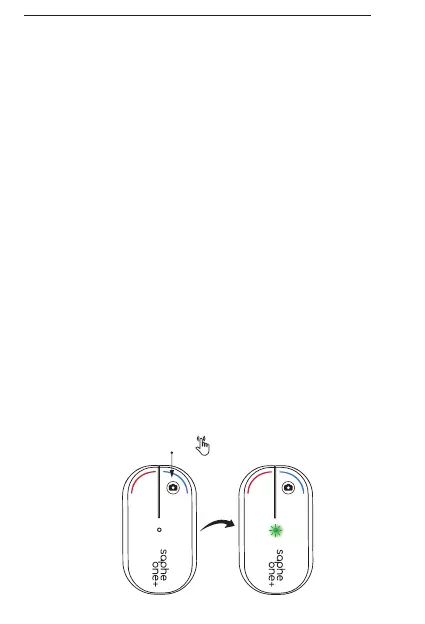
YHTEYDEN TARKISTAMINEN VAIN ONE+
KONTROLLERA FÖRBINDELSEN ENDAST ONE+
CHECK CONNECTION ONE+ ONLY
Tarkista yhteyden toimivuus pitämällä
sinistä painiketta painettuna 2 sekuntia.
Yhteyden toimiessa merkkivalo vilkkuu
vihreänä.
Håll den blå knappen påtryckt i två
sekunder for att kontrollera förbindelsen.
Grön LED blinkar om förbindelsen är
aktiv.
Check connection by holding the blue
button for two seconds. If connected
correctly the LED will display a flashing
green LED.
FI
SE
EN
2 sec


 To Next Page