4. Quick Setup Guide
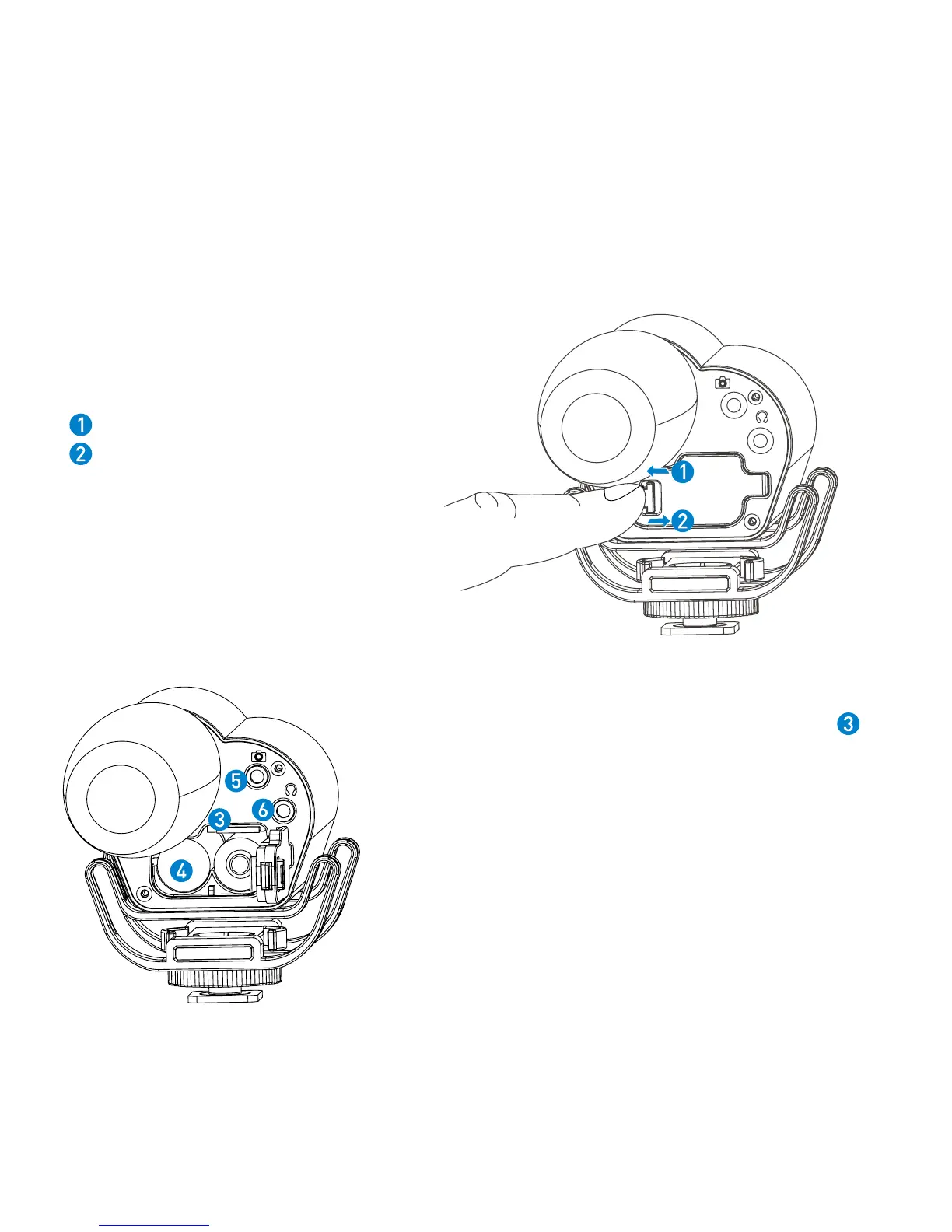
4.1 Install two AA batteries and a memory card.
Insert a MicroSDHC memory card into the card slot
with the contacts facing up.
To remove: Press the card to unlock it, then pull it out
from the card slot.
Note: Vmic Recorder can still work as a microphone even
if there is no memory card installed. Please make sure
the power is off when you insert or remove the memory
card.
Lock the battery compartment
Unlock the battery compartment


 To Next Page