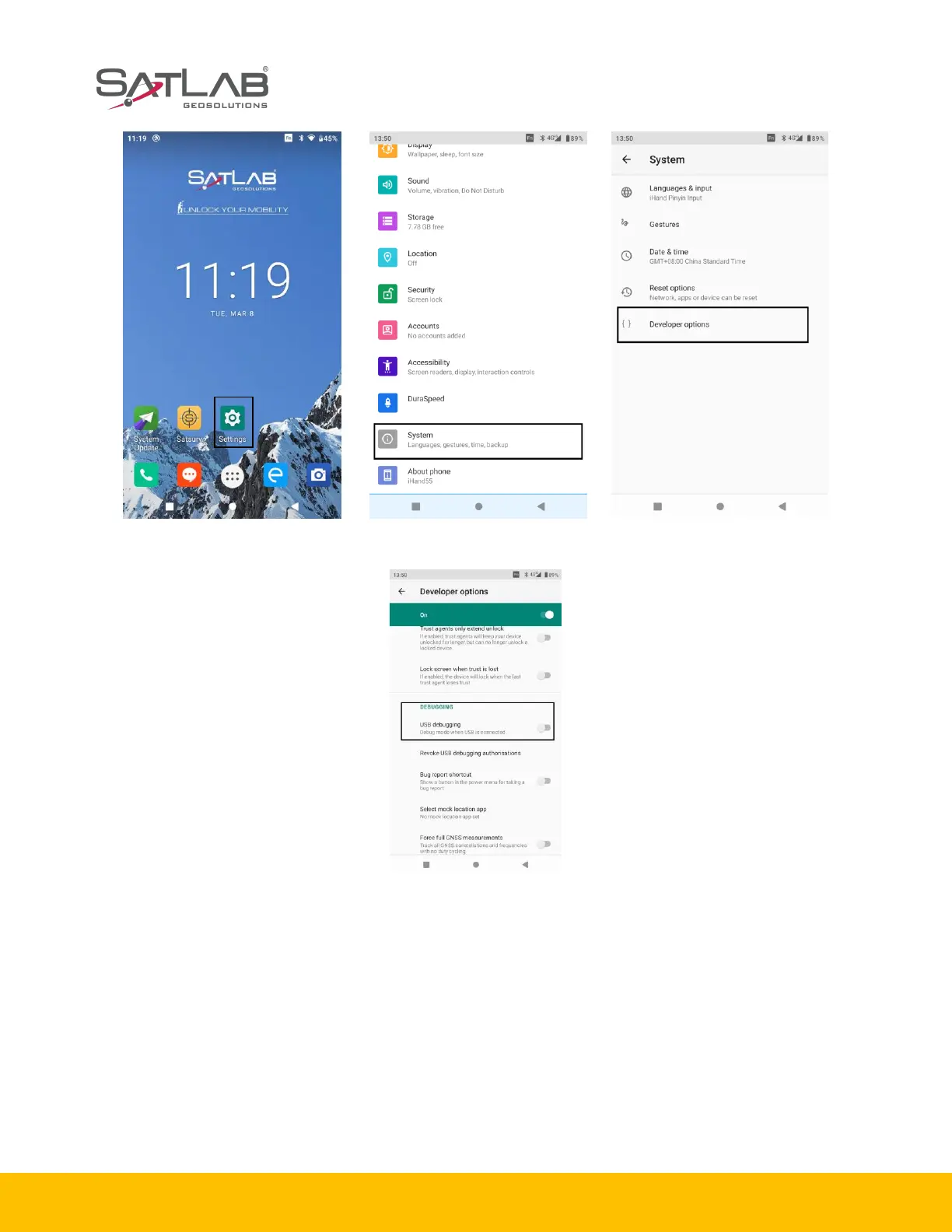
Figure 1-5-4 Settings Figure 1-5-5 Developer options
Figure 1-5-6 USB debugging
1.5.2 Upgrade method
SHC55 controller supports two methods for upgrading local upgrade and wireless upgrade.
1. Local upgrade of SHC55 controller (download the firmware from the SatLab official website first).
Step1: copy the upgrade firmware to the SD directory.
Step2: choose the System Update App.



 To Next Page