11
(5) Deposit of white potassium chloride crystals
A deposit of white crystals is sometimes found on the tip of the electrode or protection bottle; this does not
pose a problem when using the instrument. The deposit is easily washed off with tap water.
If it does not come off with tap water, soak the electrode in warm water to remove it.
Do not lick or swallow the potassium chloride crystals. If the eyes or skin becomes contaminated with the
crystals, immediately consult a doctor.
Backlight function
This instrument is provided with a backlight function. Pressing the key lights the LCD in green. This
permits the pH readings on the LCD to be read easily even in a dark place.
The backlight is automatically turned off approx. 20 seconds after it is turned on. This prevents the battery
power from being consumed due to continuous use.
About the AC adapter
If the unit will be used for a long period of time, use of the AC adapter is recommended.
Insert the AC adapter plug into the AC adapter jack on the unit. If an AC adapter other than the one provided
by us is used, choose one that meets the specifications described below.
<Primary output>
Voltage : 9VDC
Current capacity : 500mA
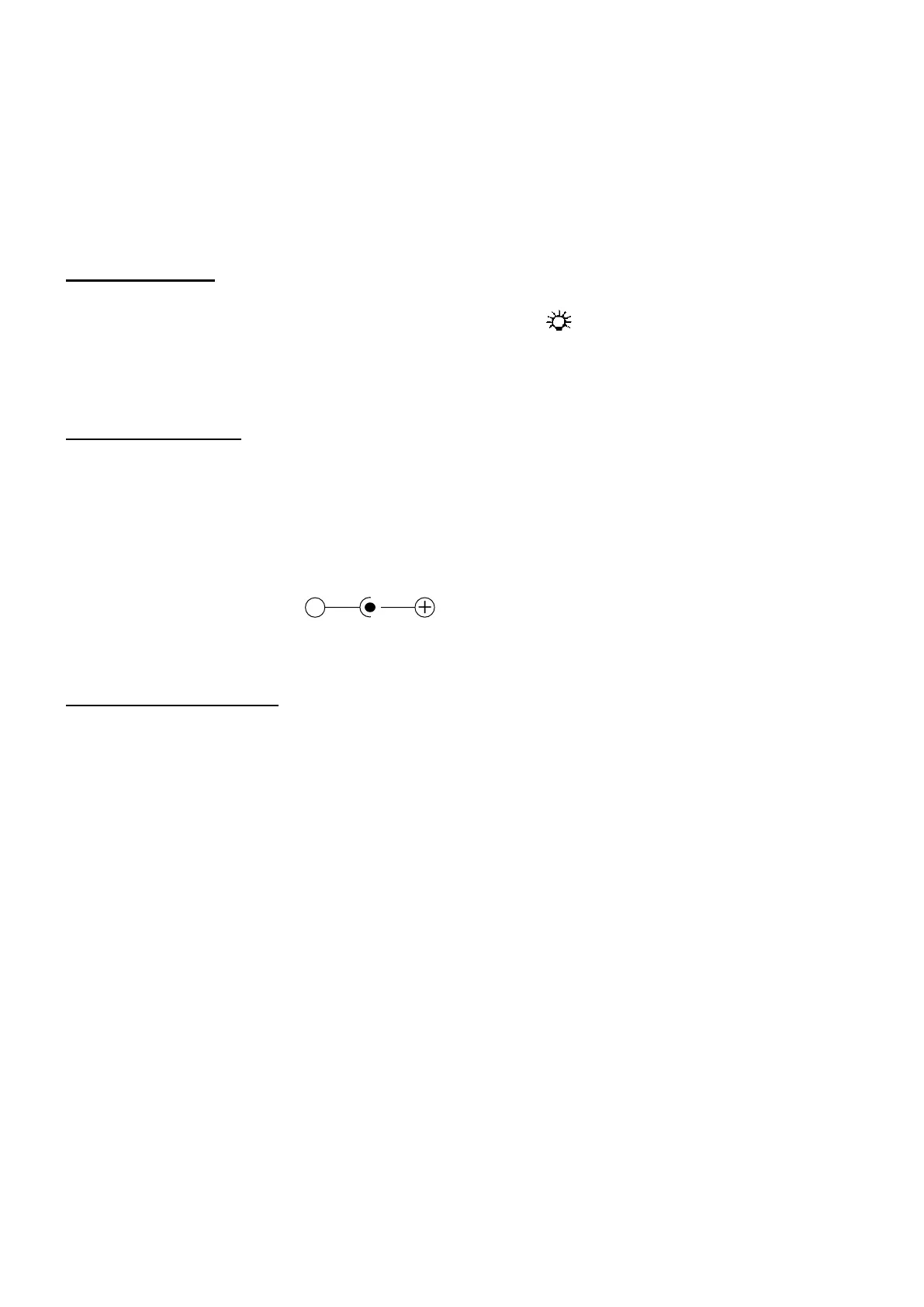
Polarity :
Diameter of jack : Ø 3.4mm (D’ DIA Ø1.35)
About the RS-232C output
RS-232C output
This instrument outputs data in real time on the pH, voltage and temperature while in the measurement
mode or the MAX/MIN logging mode.
When the unit is connected with a computer, data on the pH (or voltage) and the temperature can be
imported into the computer for analyzing or saving.
Note: The RS-232C cannot be used for output data while in the calibration mode or in the manual
temperature setting mode.
Connecting the cables
Use the RS-232C communication cable dedicated to this product.
(The cable is available as an option.)
(1) Insert the plug of the optional RS-232C cable all the way into the RS-232C jack on the SK-620PH.
(2) Next, connect the other side of the cable to the serial port on the computer.
Communication standard and Communications protocol
Transmission speed : 2400bps
Data bit : 8 bits
Stop bit : 1 bit
Parity check : non


 To Next Page
 Loading...