Copyright © 2013 Savant Systems LLC, SAVANT and RacePoint Blueprint are trademarks of Savant Systems, LLC.
All brand names, product names and trademarks are the property of their respective owners.
Savant Systems, LLC reserves the right to change product specifications without notice.
Restoring System Defaults
This procedure will clear a static IP address that has been set up by the installer using the
embedded scanner, RPMembscanner— a Savant specific program located in the RacePoint
Media folder and installed when you load RacePoint Blueprint™ on your computer.
To restore the default state of the SSC-0007, do the following.
1. Press and hold the reset button for 5+ seconds.
2. The status LED will blink green briefly while the firmware clears the static IP address.
3. The system will then reboot and come back with the status LED blinking green, if the
system received an IP address from the DHCP server. If the system has a self-assigned
address, the LED is blinking amber. See the Front, CPU Status LED, Amber flashing
description above.
You can confirm your embedded processor has an IP address by opening the
RPMembscanner application inside the RacePointMedia folder, or by entering
RPMembscanner in Spotlight.
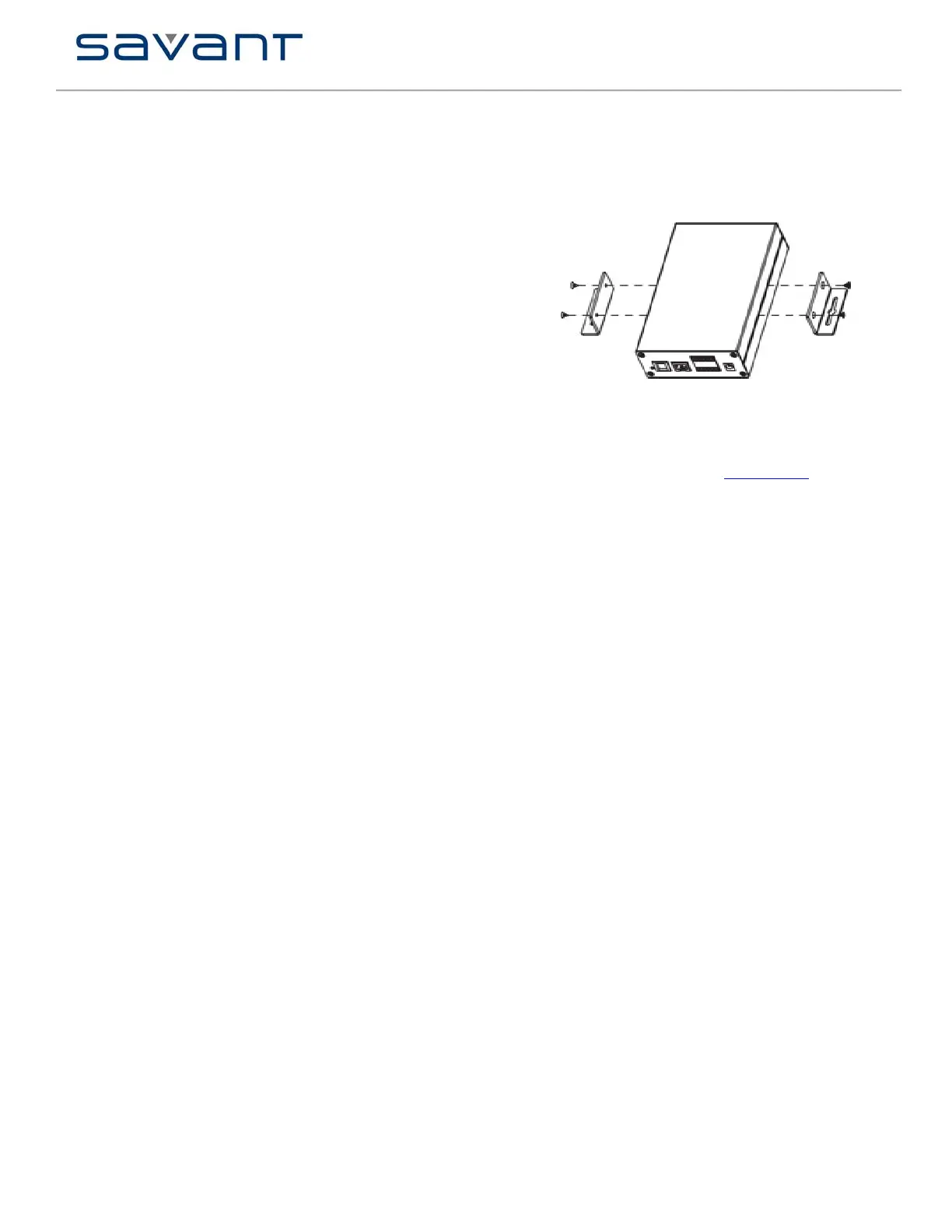
SSC-0007 Mounting Bracket Installation
Use the supplied screws to install the Side Mounting Brackets (071-0625-xx) to the SSC-0007
as shown.
Additional Documentation
To see more documentation for the SSC-0007 go to SavantSystems.com and navigate as
follows:
>Dealer Login > Knowledge Base
• Refer to the Products > RS-232/RS Conversion to DB-9 and RS-422/485 Pinout
Application Note
•
• Click link: RacePoint Blueprint™


 To Previous Page
 Loading...