4
USING the ADJUSTABLE ADF
Our advanced optical detection system monitors your welding process to ensure that your lter
remains in the dark state in a wide range of arc-welding applications. Protection from harmful
ultra-violet / infrared radiation is always present whether in the light or dark state. Your new lter
energizes automatically as soon as the arc is struck. All models are solar powered so there are
no on / off switches.
There are 2 NON RECHARGEABLE lithium batteries that need to be replaced every six months
to one year (depending on usage). Please replace both batteries with two CR1025 batteries and
dispose of old batteries properly (preferably at a battery recycle location). There are no alkaline
batteries to change and no corrosion caused by leaky batteries.
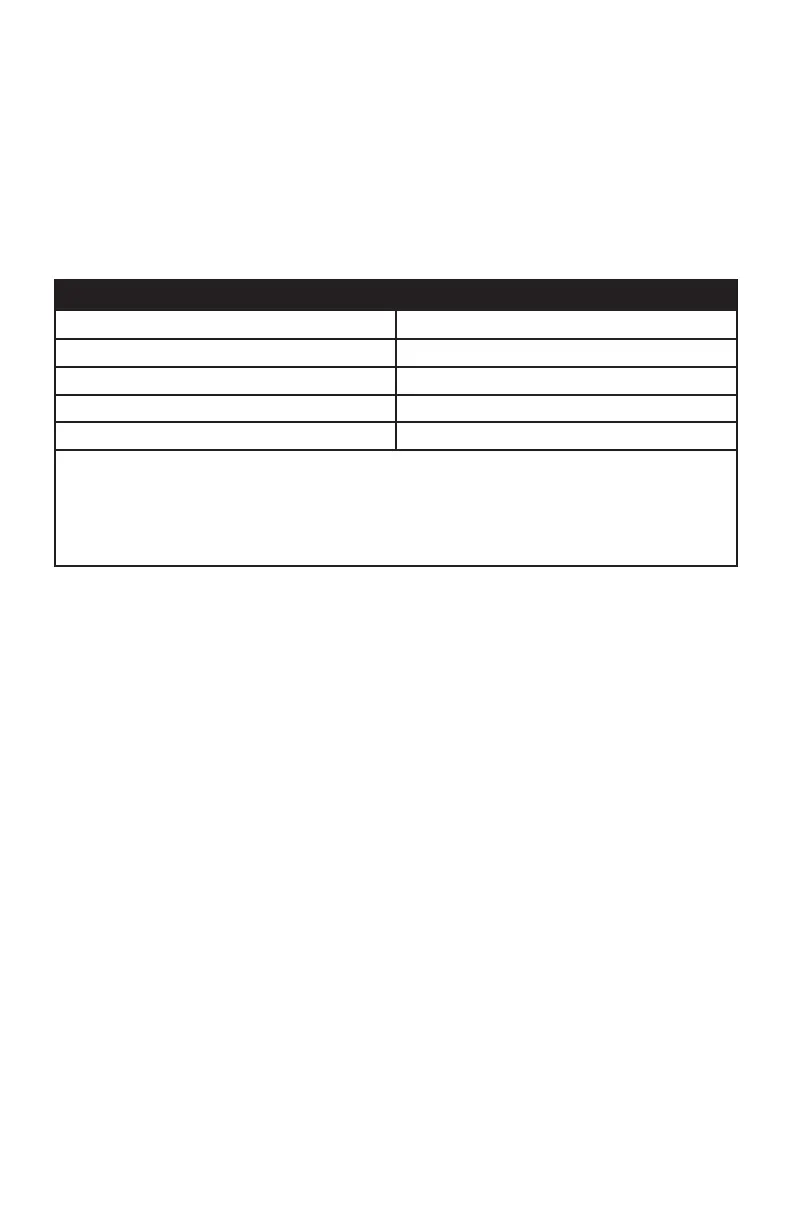
Recommended Welding Application (Table 1)
Welding Application “Heads Up” Display as seen by user
SMAC, MIG, TIG, 40 amps and above Delay 9, 10, 11, or 12
SMAC, MIG, TIG, 30 amps and above Delay TIG 9, 10, 11, or 12
Spot welding, 40 amps and above 9, 10, 11, or 12
Spot welding, 30 amps and above TIG 9, 10, 11, or 12
Note: The above settings are meant to illustrate which welding applications
are suggested for each congurable mode. Applications vary greatly so
please experiment with the many available setting combinations in order to
nd the best combination of shade level, sensitivity and delay for your per-
sonal comfort and performance efciency.
SELECTING the SHADING LEVEL
The shading level can be set manually from 4/9 - 13. Consult the table of hints on shading for the
correct shading level for your work. Select a shading level by turning the shading dial until the arrow
is pointing at the level you require (see table with hints on shading).
SETTING the DELAY/SWITCHING TIME
The delay/switching time (this means at that moment at which welding begins, thelter changes from
light to dark) is set using the rotary knob. In the case of the “short” setting this is approx. 1/20000
of a second, “long“ is approx. 0.6 of a second.
SETTING the SENSITIVITY
The rotary knob can be used to adjust the sensitivity to suit the welding process.


 To Next Page
 Loading...