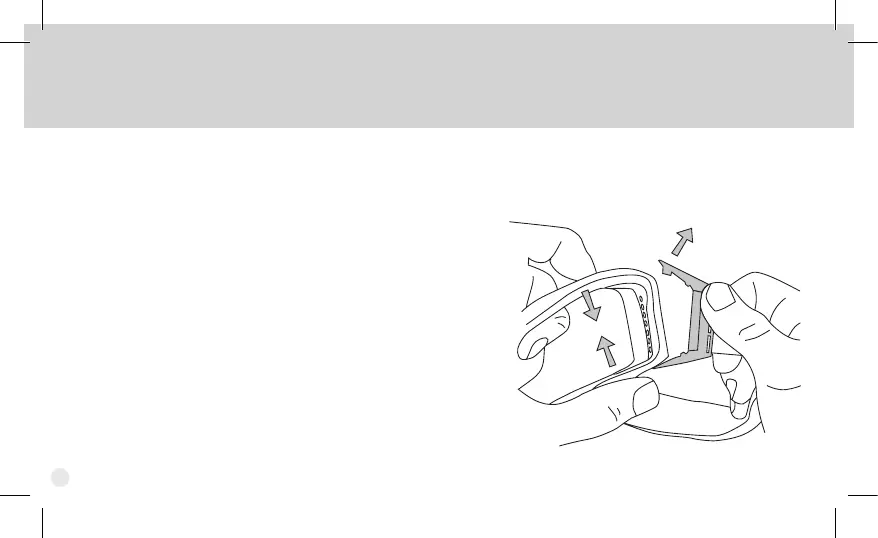
Strap Removal & Re-attachment
1. Begin by removing the lens
(see lens removal instructions).
2. Compress the frame down and away, then work
the Outrigger pins out of the frame.
3. To re-attach the strap, simply reverse the process.
(If both sides of the strap have been removed,
identify the correct clip, as marked for the user’s
right and left.) Start at the bottom of the goggle
by positioning the clip into the frame, then t the
top of the clip into the frame.
4. Re-install the lens.
There may be cases that require the removal of the goggle strap (Series Specic). For example, to install the SpeedSleeve (see
Accessories), you will rst need to remove (and subsequently re-attach) one side of the strap.
6



 To Next Page