Need help?
Do you have a question about the SBS BF400 and is the answer not in the manual?
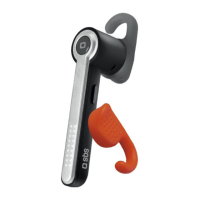
Connect charger to socket and earpiece. Red light indicates charging; light off when full.
Details LED patterns for stand-by, calling, battery dead, and recharge states.
Press and hold the multifunction button to turn the earpiece on or off (indicated by light flashes).
Briefly press the multifunction button to connect to the last associated device.
Steps to pair the earpiece with a phone/PC, including PIN entry and confirmation.
Briefly press the multifunction button to answer an incoming call.
Briefly press the multifunction button during a call to end the conversation.
Press and hold the multifunction button for 3 seconds to refuse an incoming call.
Transfer conversation between earpiece and phone using Volume + button.
Use multifunction button for voice calls and Volume + for last number recall.
Press Volume +/- buttons simultaneously for 3 seconds to activate/deactivate mute.
Connect from PC. Configure audio settings to use the earpiece for music playback.
Start Skype after connection and ensure a configured account for conversations.
Avoid damp, solvents, high temperatures, and unauthorized disassembly. Use original charger.
Information on proper disposal of electrical and electronic equipment according to WEEE directive.


 To Next Page
 General