Sensitivity Adjustment:
(1) The sensitivity shall be adjusted when performance instability is observed
or sound is produced when detecting human body without any metal stuff
because the detection distance is less than the
stipulated requirement or the
sensitivity is too high.
(2) Rotate the Sensitivity Adjuster clockwise, until there is no sound from the
Buzzer, then counter- clockwise barely to the position where a sound is
produced, then rotate for another half a circle c lockwise, until the sensitivity
meets the requirement.
Detection Distance:
The sensitivity of the detector is determined primarily by the size, shape and
composition of the object to be detected. Typical performance
figures are
given below:
Object Sensitivity
Pin
30-60mm
One coin
75-100mm
6 inch
knife
64model hand gun
160-180mm
180-195mm
Specification:
Power: 9V (6F22) standard or rechargeable battery (* Optional)
Frequency: 25KHz
Voltage: 9V (6F22)
Weight: 400G (without battery)
Size: 41(L) ×8(W)
×4.2(H)cm
Operating Temperature: -15℃
to +55℃
Note:
(1) Be sure to switch off the power after use. If you are not going to use it for
a while, take the battery out.
(2) When use rechargeable battery, duration of charging is 5~6 hours.
(3) Voltage of Charger: 9~12V (DC). (*Charger is Optional)
(4) Keep the metal detector dry and
clean. Wipe off the detector with a
wet
cloth, don’t use the chemical detergent.
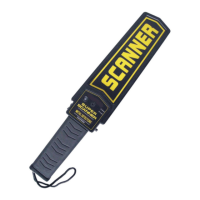
SUPER HAND HELD METAL DETECTOR
OPERATION
MANUAL


 To Next Page
 Need help?
 General