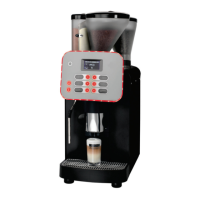
Preselecting beverage types
Provided that the machine has been correspondingly congured, several different beverages
can be selected one after another. The coffee maker dispenses the selected beverages in the
order given.
To delete preselected beverages and cancel current beverage output:
► Press the
button to delete the preselection.
► To cancel the current output, press the
button again.
Coffee powder (DECAF) / cleaning tablet slot
The slot for coffee powder (DECAF) / cleaning tablets is located between the bean containers
(Caution: Only when using original M. Schaerer Ltd. cleaning tablets!).
Preparing coffee powder beverages (DECAF)
Press the DECAF button to select the DECAF level (if programmed). Press a beverage button to
dispense the beverage.
► Place a cup under the outlet.
► Move the outlet to the correct position.
► Press the [ DECAF ] button (LED blinks green).
► Press desired beverage button (LED next to the pressed button blinks green).
► Pour coffee powder into the hopper (see above).
► Press the [ STOP ] button
► After the beverage has been dispensed (LED stops blinking) remove the cup.
Preparing double products (2x)
Press the 2x button to prepare two products at one time (if programmed).
► Place a cup under the outlet.
► Move the outlet to the correct position.
► Press the [ 2x ] button (LED blinks green).
► Press desired beverage button (LED next to the pressed button blinks green).
► After the beverage has been dispensed (LED stops blinking) remove the cup.
Never pour instant coffee into the
slot! Only pour ground coffee into
the slot!
DECAF beverages cannot be
preselected.
select product
preselection 1
The display shows:



 To Next Page
 Loading...