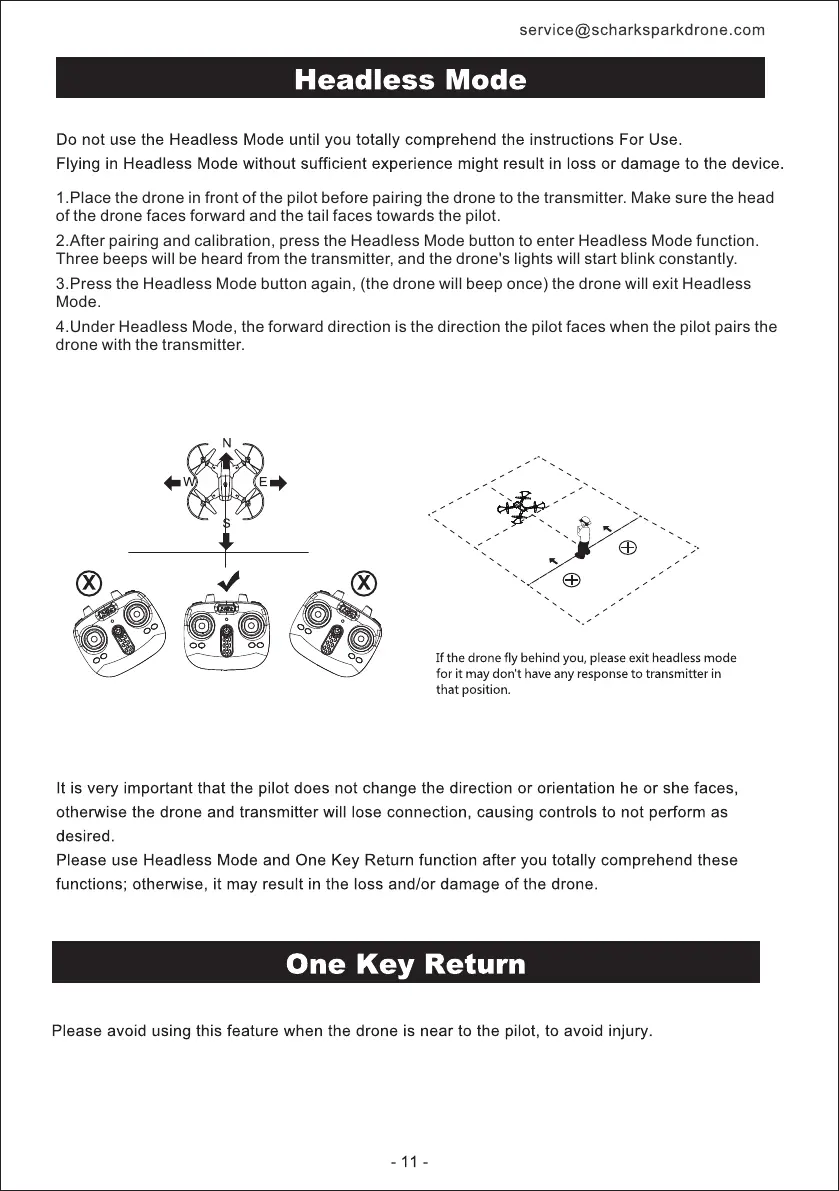
1.Place the drone in front of the pilot before pairing the drone to the transmitter. Make sure the head
of the drone faces forward and the tail faces towards the pilot.
2.After pairing and calibration, press the Headless Mode button to enter Headless Mode function.
Three beeps will be heard from the transmitter, and the drone's lights will start blink constantly.
3.Press the Headless Mode button again, (the drone will beep once) the drone will exit Headless
Mode.
4.Under Headless Mode, the forward direction is the direction the pilot faces when the pilot pairs the
drone with the transmitter.
All manuals and user guides at all-guides.com


 To Next Page