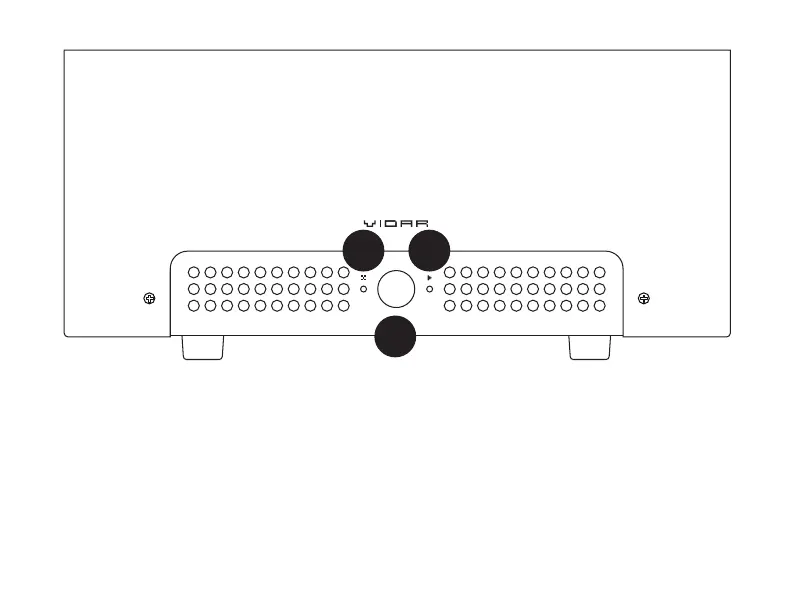
1 Press to toggle Standby mode. When
the amp is in Standby mode, it only uses
a couple of watts, saving power. You can
leave the amp on all the time and just put it
in Standby when you’re not using it
2 When lit, this light indicates Standby
mode. When ashing, it indicates that Vidar
2 is getting everything ready to run.*
3 When lit, this light indicates normal
operation. When ashing, there’s a fault.
See the next section for what to do if it’s
ashing.
*Vidar 2 takes about 30 seconds to perform self-
checks when rst turned on. When coming out of
Standby mode, it takes about 60 seconds.
OPERATION
1
32



 To Next Page