clicks) fully coun ter clock wise, if nec es sary, to see the near est air ports
(NRST page num ber one). Then, push the GPS (PUSH CRSR) knob, to get
a cur sor. Use the GPS ring to scroll the cur sor through the near est air ports
and their tower (or com mon traf fic ad vi sory) fre quen cies. First use the
ENT key to trans fer your cho sen twr (or uni or mul) fre quency to the
COMM. Then, use the ring to scroll to the air port iden ti fier and use the D
ar row key and ENT key (twice) to nav i gate di rectly there.
At any time, press the D ar row “di rect to” key and use the GPS knob and
ring to spell out a cho sen way point (re mem ber that ICAO says to start
USA all let ter air port iden ti fi ers with “K”); then, press ENT twice, to nav -
i gate di rectly
there. Pressing the OBS but ton al lows the pi lot to nav i gate
along any cho sen
bear ing to (or ra dial from) the waypoint, like us ing the
omni bear ing se lec tor for a VOR. Press the CLR but ton for more than two
sec onds to de fault to NAV page one. NAV page one has (only) a GPS
c o u r s e d e v i a t i o n i n d i c a t o r that can be re peated on a re mote CDI or HSI,
by press ing the CDI but ton. The NAV 2 page is a mov ing map. The left
and right ends of the top GPS (RNG) but ton se lect the mov ing map’s
range, be tween 500’ and 2000 miles. The CLR but ton re moves up to three
lev els of ad di tional map de tails. Use the MENU but ton (and ENT key) to
choose to dis play a larger map, or a small map with waypoint bear ing and
dis tance and ground speed data along one side.
SEC TION V
Per for mance Data
Not Af fected
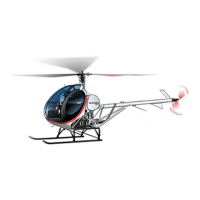
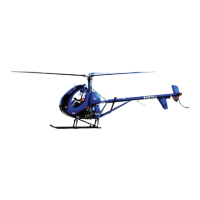
SCHWEIZER MODEL 269C-1 HELICOPTER
CSP-C1-1A
FAA Approved: 03 Oct 1995 39
Revised: 20 Feb 2001



 To Next Page