• •
•
YoucanacknowledgePowerSensorCalibrationerrorssothattheErrorMessagedoesnotshowuntilbatteryreplacement
ortheconsolerestarts.PushandholdtheSTAGEbuttonfor3seconds.TheErrorMessagewillonlyshowintheEPrdisplay.
EPb:
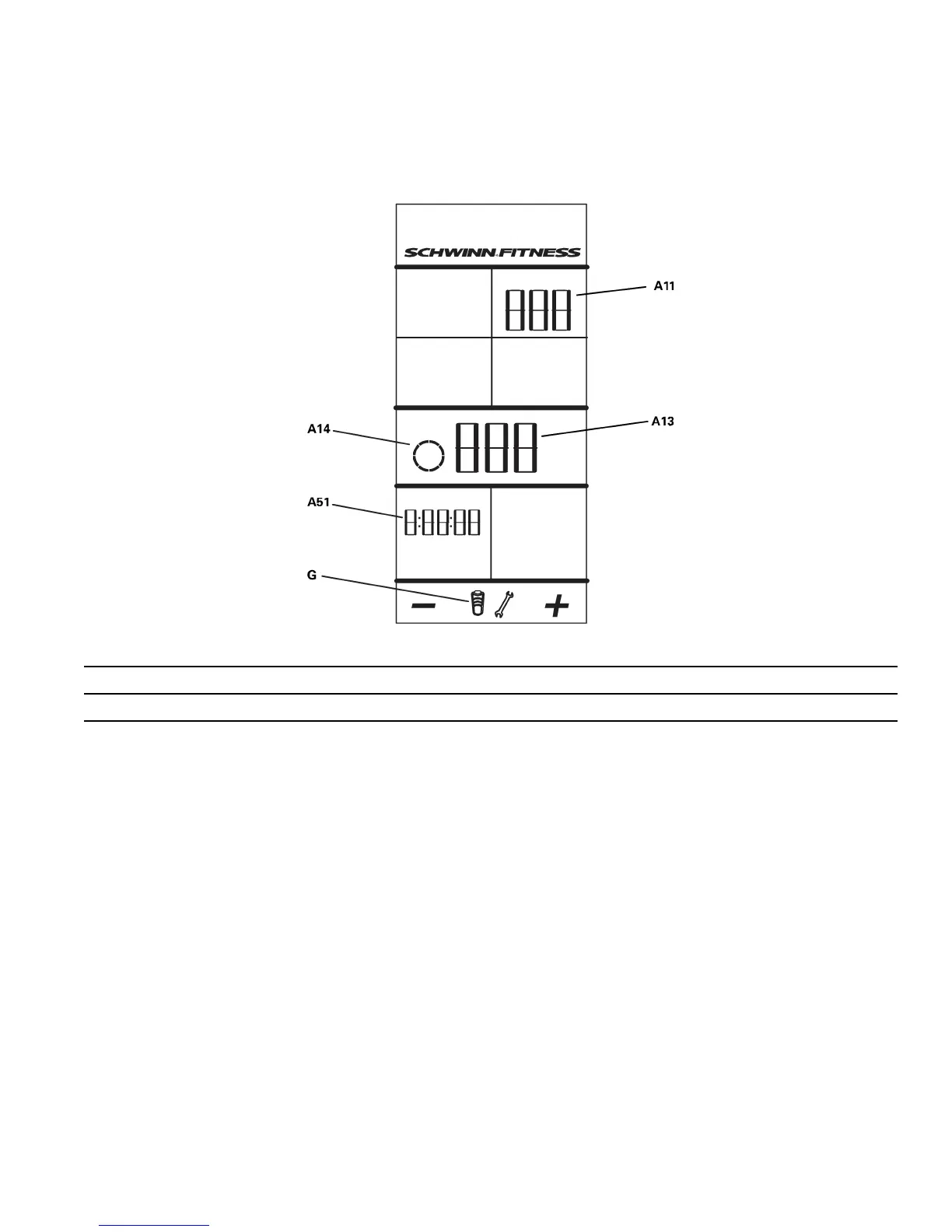
A11
Submenuoption
A51
Backlightoption(Time/On/OFF)
A13
Current(Sub)MenuOption
Number(Time):
SetstheoperationsothatyoumustpushtheBacklightbuttontoturnonthe
backlight.Yousetthenumberofsecondsthatthebacklightstaysonbefore
itturnsofftoconservethebatteries.Therangeforthetimevaluesis1–20
seconds.
ON:Setstheoperationsothatthebacklightcomesonandstaysonwhenthe
consoleison.
OFF:Setstheoperationsothatthebacklightstaysoffwhentheconsoleison.
USBEnabling
TheU--optionontheServiceModemenusetstheUSBfunctionto:U01(Disabled–workoutdatanotsaved),U02(Enabled–save
workoutdata)orU03(ExportData).ThedefaultvalueisU02.
TheExportDataoptionisonlyfortheServiceTechniciantodownloadsystemdata(EP0andEPNdisplaydata)toaUSBdevice.
DataExporttoUSBStorageDevice
TorecordtheconsolesystemdataonaUSBstoragedevice,connecttheUSBdevicetotheconsoleandgototheU03option
(ExportData)ontheU--submenu.TheExportDataoptionsendstheEP0andEPNdisplaydatatoaUSBstoragedeviceasafile
in.CSVformat.IftheServiceTechnicianexportsandstoresdatafrommultiplebikestotheUSBdevice,thedataforeachnew
systemisaddedtotheendofthefile.
23 23
23



 To Next Page