StandardEM5kHzPulse
TheconsoleusestheEM(electromagnetic)5kHzpulsewirelessprotocoltoreadheartratedatafromstandardheartratemonitors
(HRMs),suchasaPolar®transmittercheststrap.
WorkoutDataStorage
Theconsolesendsworkoutdatatotheuser’sdatastoragedevice—forexample,aUSBflashmemorydeviceorasportwatch.The
consolecanalsogetuserdatafromanAnt+sportwatchandusethedatatocalculateworkoutresults.
Ant+SportWatch
TheAnt+SportWatchsharesuserdatawiththeconsoleafterproximitylinkingoccursduringUserSetup.InUserSetupModethe
Ant+Sportwatchsendsdata(includinguserweight)totheconsole.DuringWorkoutModetheconsolesendsworkoutdatatothe
Ant+SportWatch.Whenproximitylinkingiscomplete,thewatchandconsolecansendandreaddataupto118"(3m).
USBInterface/DataStorage
TheconsolecanuploadworkoutdatatoaUSBdatastoragedeviceiftheUSBportontheconsoleisenabled.ToenabletheUSB
port,gototheServiceModemenu.YoucanconnecttheUSBstoragedevicetotheconsoleduringUserSetuporafterthe
workoutends.
DuringWorkoutModetheconsolesendstheseworkoutdatatotheUSBdevice:
• •
•
Workout(total)—Time,Distance,andaverageandmaximumSpeed,Watts,HRandRPM.
• •
•
WorkoutStages—Time,Distance,andmaximumSpeed,Watts,HRandRPM.
IfyouconnecttheUSBdeviceaftertheworkoutends,theconsoleonlysendstheTotalSummarydatatotheUSBdevice.
TheUSBportalsogivesaccesstotheServiceTechniciantoexportconsolesystemdatatoaUSBstoragedeviceandtoupdate
theconsolefirmware.
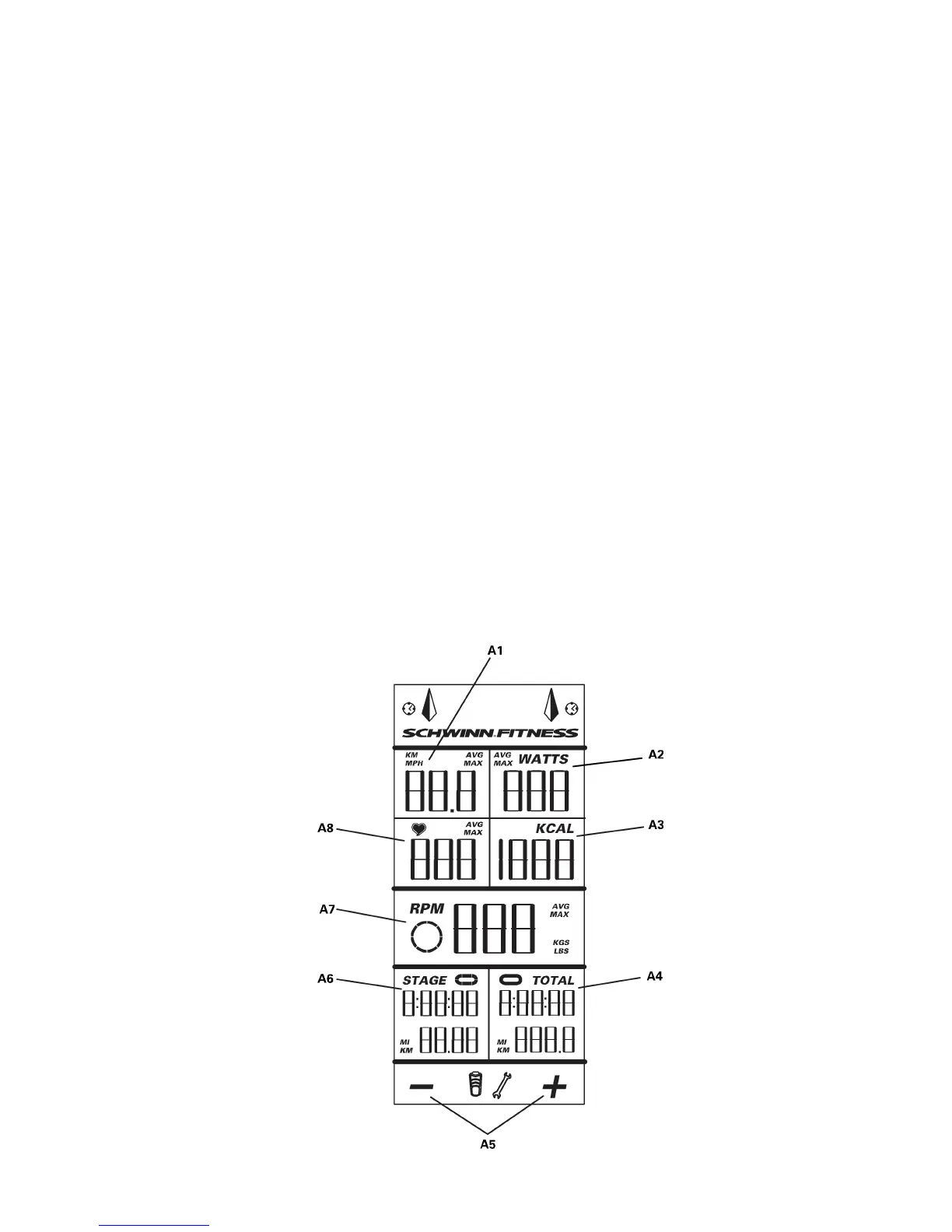
LCDDisplayData
5 5
5



 To Next Page