64
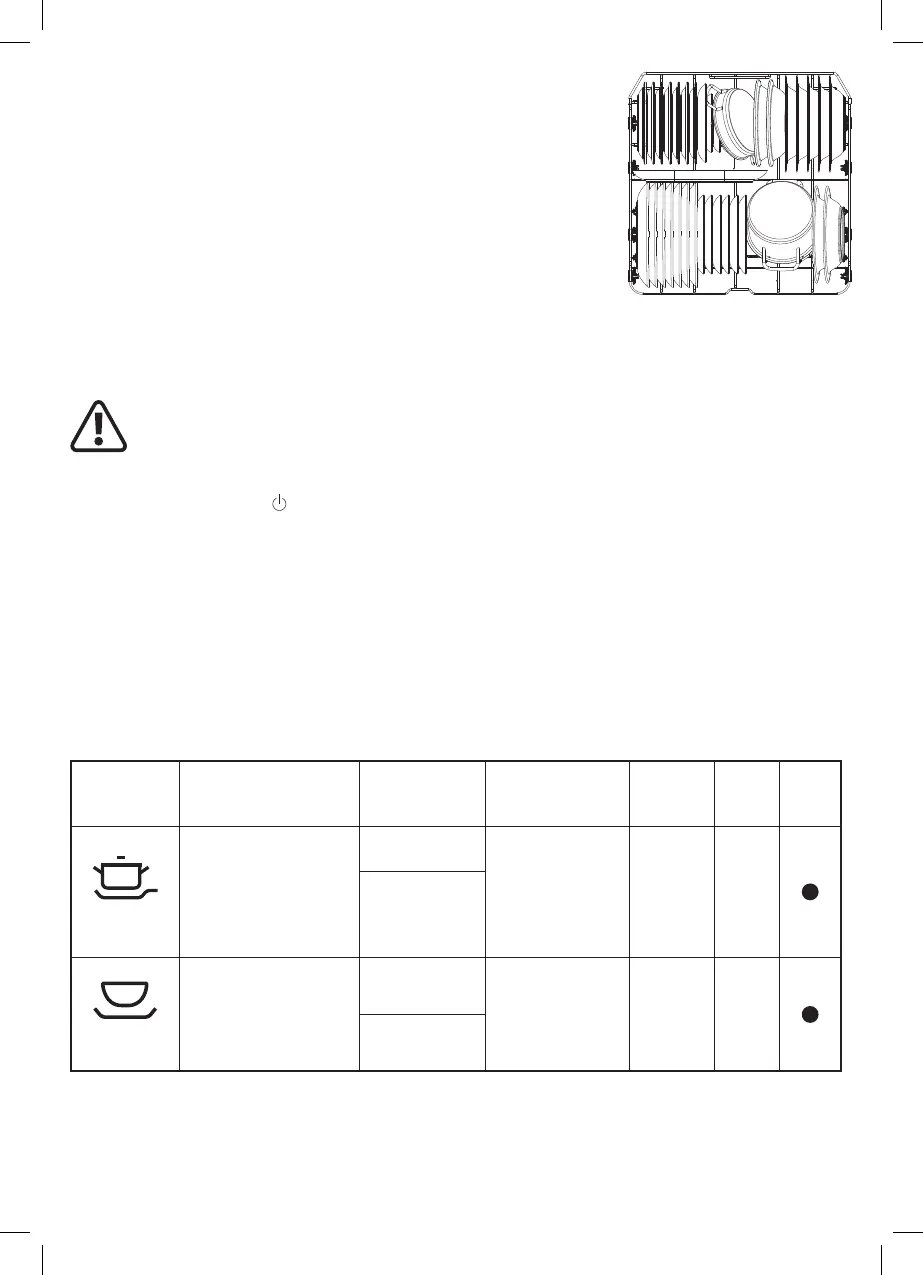
Loading the Lower Basket
Place large items which are more heavily soiled in the bottom basket,
such as pots, pans, lids, serving dishes and bowls, as shown in the
diagram below.
Ensure that the tallest items are placed to the sides to avoid blocking
the rotation of the spray arm.
The bottom basket also features fold down racks that can be laid at
to create space for larger items.
Starting a Wash Program
Once you have completed all the steps above regarding installation and set-up, you are ready to start your
rst wash program.
IMPORTANT: THIS APPLIANCE DOES NOT HAVE A START BUTTON AND
SO THE WASH PROGRAM WILL ONLY START AUTOMATICALLY WHEN THE
PROGRAM HAS BEEN SELECTED AND THE DOOR IS FULLY CLOSED.
1. Open the door, load the dishwasher, and add dishwasher detergent or a 3-in-1 tablet to the dispenser.
2. Press the Power button
to turn the appliance on. The default program ECO will be selected, and the
ECO icon will ash
.
3. If you wish to choose a different wash program, press the Program button until the correct option is
selected. The options will cycle in the order of the Program Wash Table below and then return to ECO.
The selected Program icon will ash in each case.
4. Push the door closed until you hear a click. The chosen icon will stop ashing and the wash cycle will
start.
Program Wash Table
Indicates the typical wash times with energy and water consumption and recommended detergent use.
( ● ) indicates that the program uses rinse aid in the last rinse.
Program Description of Cycle Detergent
Required
Running Time
(hours:minutes)
Energy
(kWh)
Water
(L)
Rinse
Aid
Intensive
Pre-wash (50ºC)
Wash (65ºC) Rinse
Rinse
Rinse (65ºC) Drying
4/13 grams
3:25 1.621 17.8
(1 tablet)
Universal
Pre-wash (45ºC)
Wash (55ºC) Rinse
Rinse (65ºC) Drying
4/13 grams
2:55 1.302 14.3
(1 tablet)
5059340445762_MNL_IN_V10.indb 645059340445762_MNL_IN_V10.indb 64 31-03-2022 16:01:3431-03-2022 16:01:34


 To Next Page
 Loading...