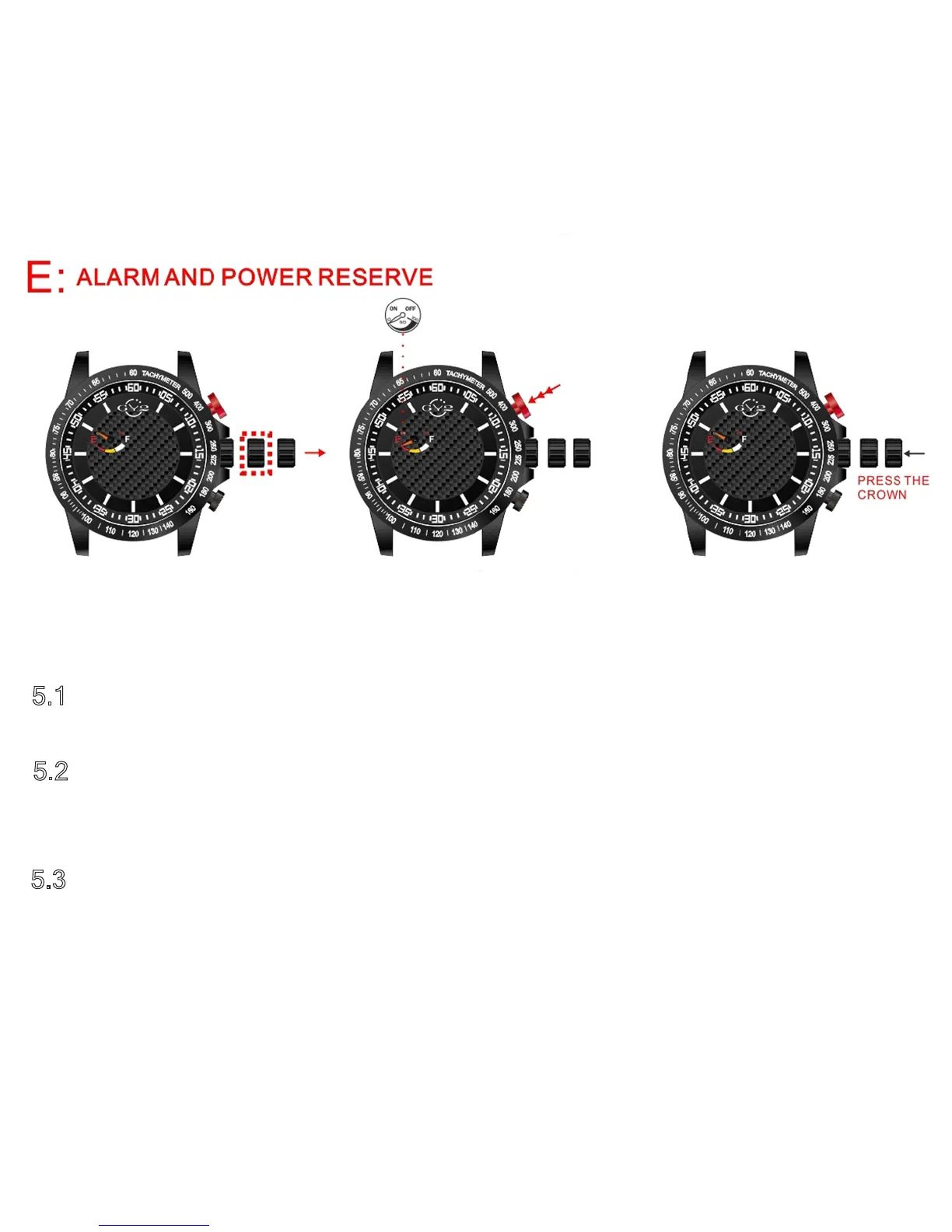
5.1 – Pull the setting crown to the second position.
5.2
– Press the top red pusher until the small orange dial at 10 o’clock points
to “E” on the Power Reserve indicator.
5.3 – When you are finished, press the setting crown all the way in again. The
alarm function is on at this point. If you want the alarm to be off, press the
red pusher again until the small orange dial returns to the off position.
5.1
5.2
5.3



 To Next Page