-9/9-
Website: www.seada.co.uk E-mail: sales@seada.co.uk
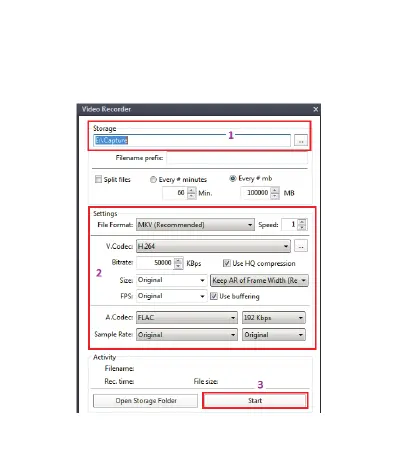
4. Click “Potplayer > Video > Video recoder” or use shortcut key”Alt+C”
to open the Video recoder page.
1) Select storage position.
2) Set video and audio capture setting.
3) Start to capture video and audio.



 To Previous Page