-6/9-
Website: www.seada.co.uk E-mail: sales@seada.co.uk
6. Connection
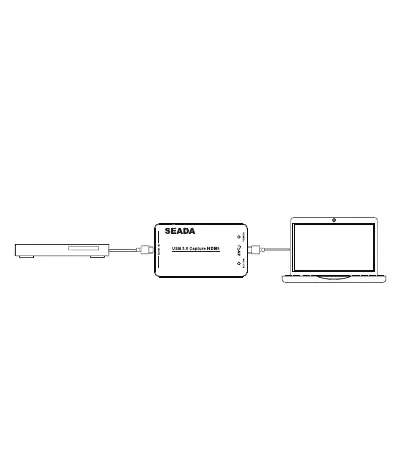
1. Connect the HDMI output interface of the signal source (such as
Blu-Ray Player, Play Station, audio/video receiver or satellite receiver)
to the HDMI input interface of SD-HU with a HDMI cable.
2. Insert the USB3.0 cable head to the USB3.0 interface of SD-HU,
and insert the other side of the cable into your computer's USB3.0
interface.
3. HDMI to USB3.0 Video Capture Device is based on UVC (USB
video class) and UAC (USB audio class) standards, without having
to install drivers and settings. After installation in operating system,
the relevant video and audio devices will be added on. In Windows,
for example, it will have new image devices:
SHOWING THE WORLD
DVD or Blu-ray Player
PC



 To Next Page