2. Setting Up GoFlex Home – Windows Step 4: Setting Up GoFlex Home
FreeAgent® GoFlex™ Home User Guide (Version 2) 17
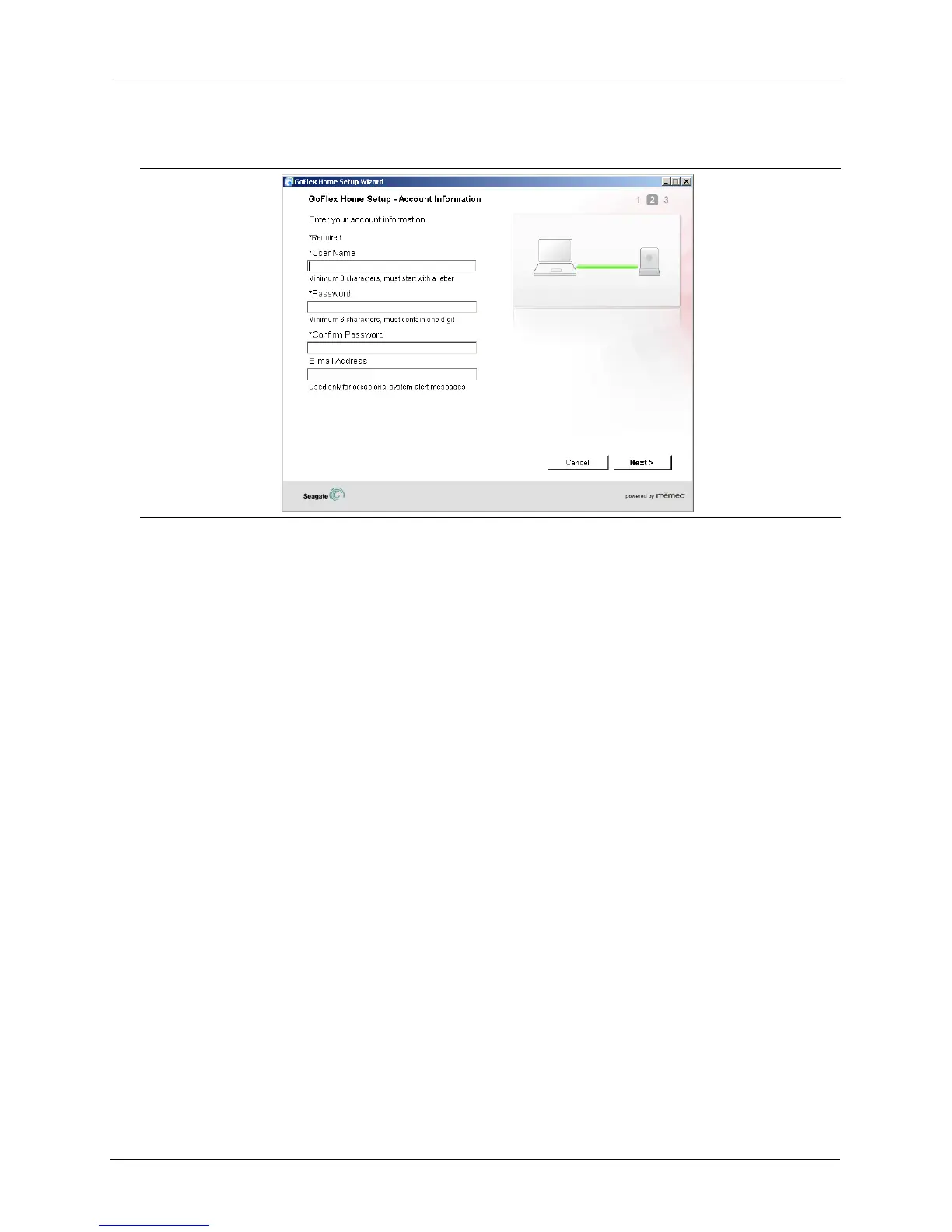
GoFlex Home is activated, and the Account Information screen opens.
3. Create an administrator account for yourself by entering a user name and password.
Passwords must be at least six characters long and must include one number. Passwords
are case-sensitive.
Enter an e-mail address that can be used for occasional system messages. You will receive a
system message if there is a problem with the drive, if the drive is full, or if your Seagate Share
Pro subscription is expiring soon.
4. Click Next.
Figure 8: Creating the First User Account









 To Next Page