3. Setting Up GoFlex Home – Mac Step 3: Setting Up GoFlex Home
FreeAgent® GoFlex™ Home User Guide (Version 2) 28
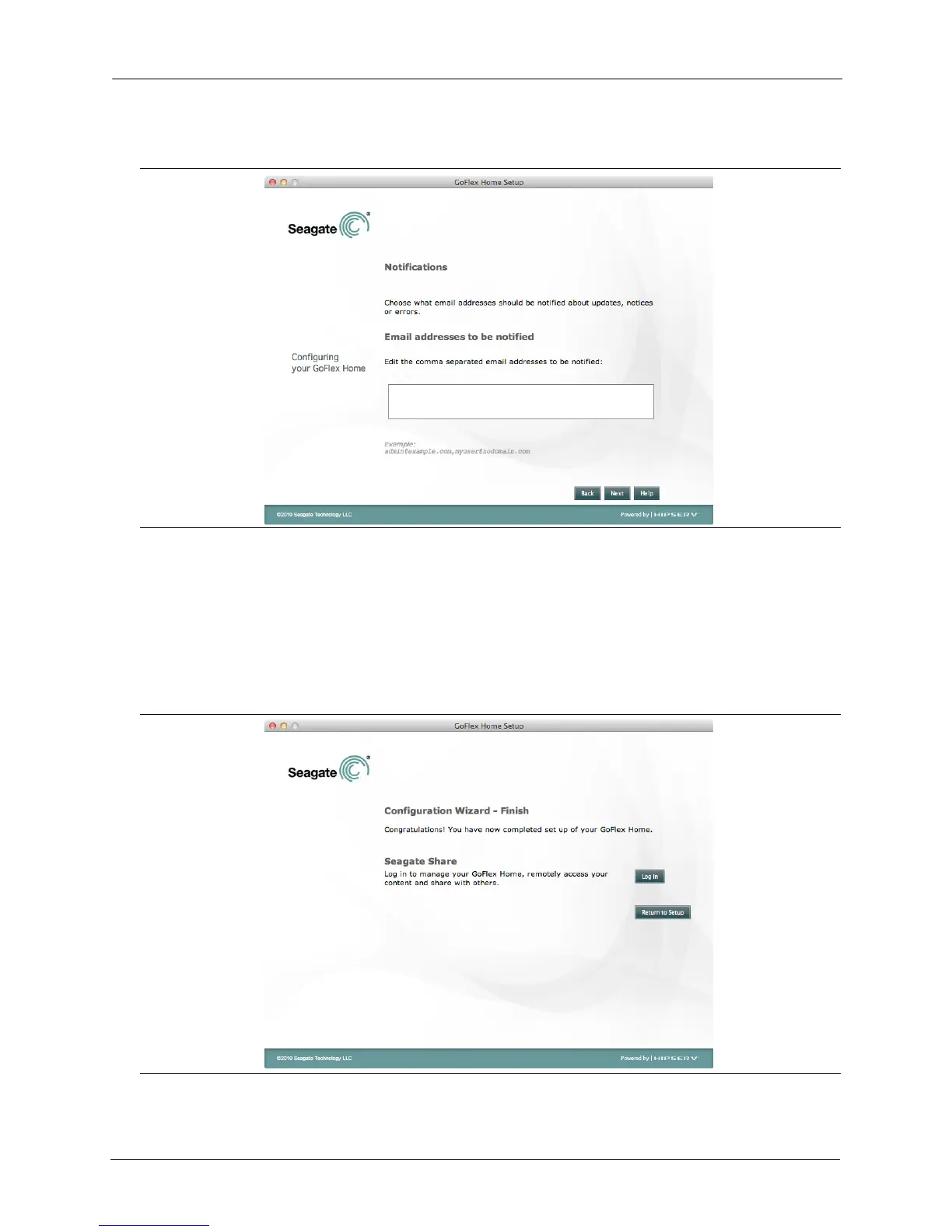
The Notifications screen appears.
11. Enter an e-mail address that can be used for occasional system messages. You will receive a
system message if there is a problem with the drive, if the drive is full, or if your Seagate
Share Pro subscription is expiring soon.
12. Click Next.
Your GoFlex Home device is now set up. The following screen appears.
Figure 20: Entering an E-mail Address
Figure 21: Finishing the Configuration Wizard









 To Next Page