3. Setting Up GoFlex Home – Mac Step 4: Installing GoFlex Home Desktop Applications
FreeAgent® GoFlex™ Home User Guide (Version 2) 30
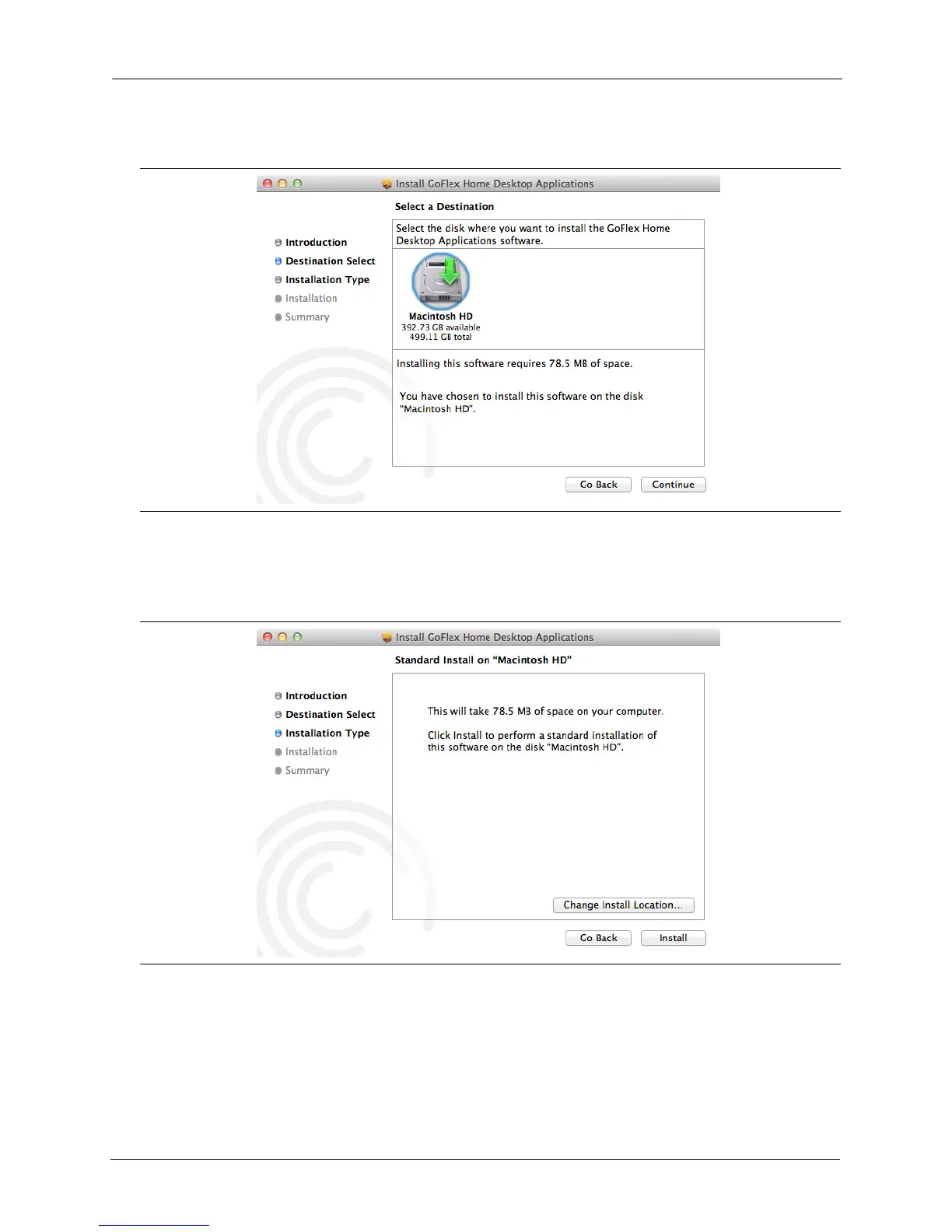
The Destination Select screen opens.
3. Select the disk where you want to install the software, then click Continue.
The Installation Type screen opens.
4. Click Install.
If required, click Change Install Location..., adjust the settings, then click Install.
5. When prompted, provide the Mac user name and password to install software.
Figure 23: Destination Select Screen
Figure 24: Installation Type Screen









 To Next Page