3. Setting Up GoFlex Home – Mac Step 5: Configuring Time Machine for GoFlex Home
FreeAgent® GoFlex™ Home User Guide (Version 2) 32
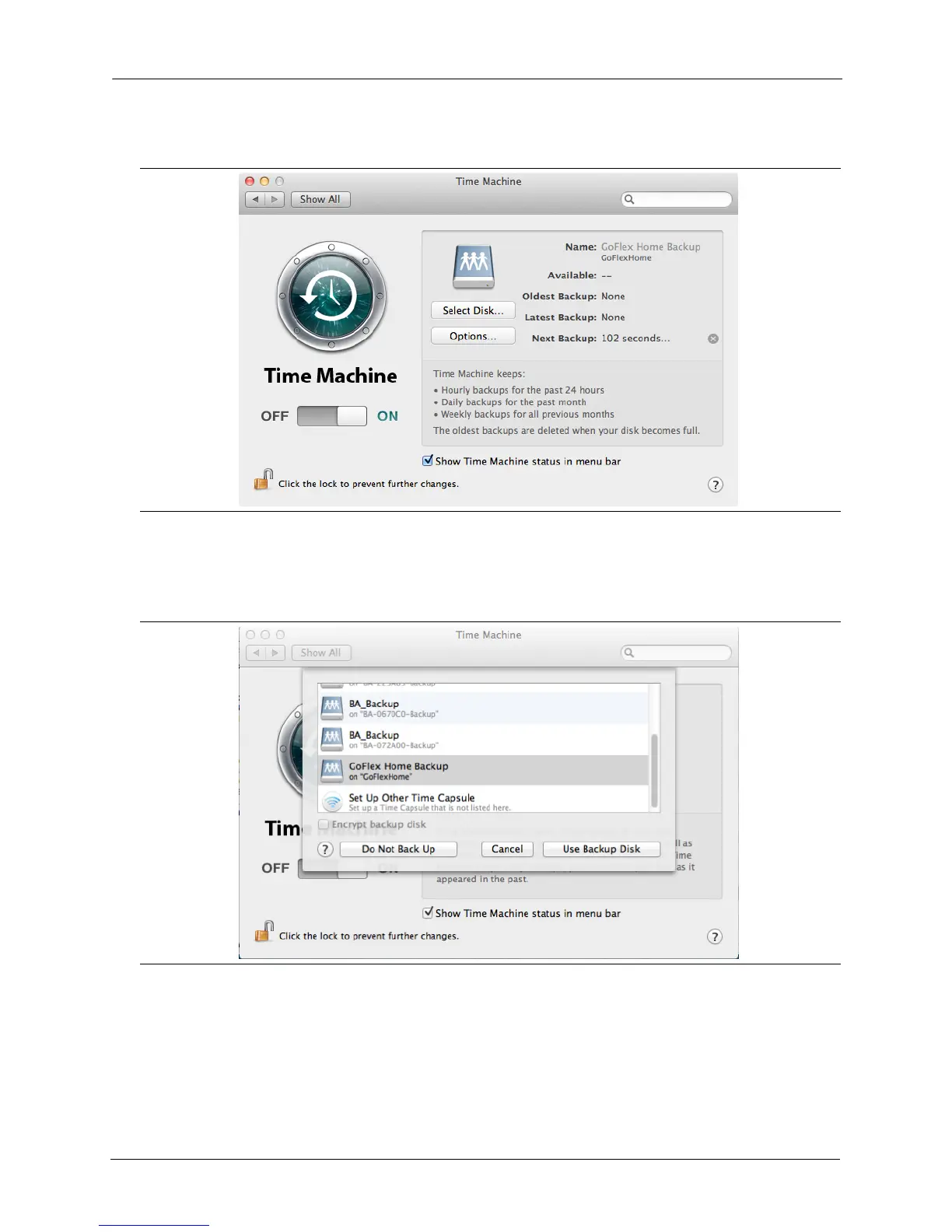
3. Go to System Preferences, and click on Time Machine to open Time Machine Preferences.
4. Set Time Machine to ON.
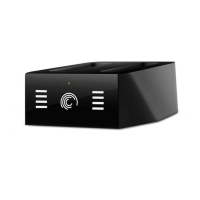
5. Click on Select Disk... and select GoFlex Home Backup.
6. Click Use Backup Disk.
Figure 26: Time Machine Preferences Screen
Figure 27: Selecting the GoFlex Home Drive for Backup









 To Next Page