4.1.3 Zoom Display
If the default font size of the displayed data on the Seal One device’s screen is too small for you, you
have the option to enlarge the font size. You can enable / disable display zoom via the “Zoom Display”
menu option of the tray icon.
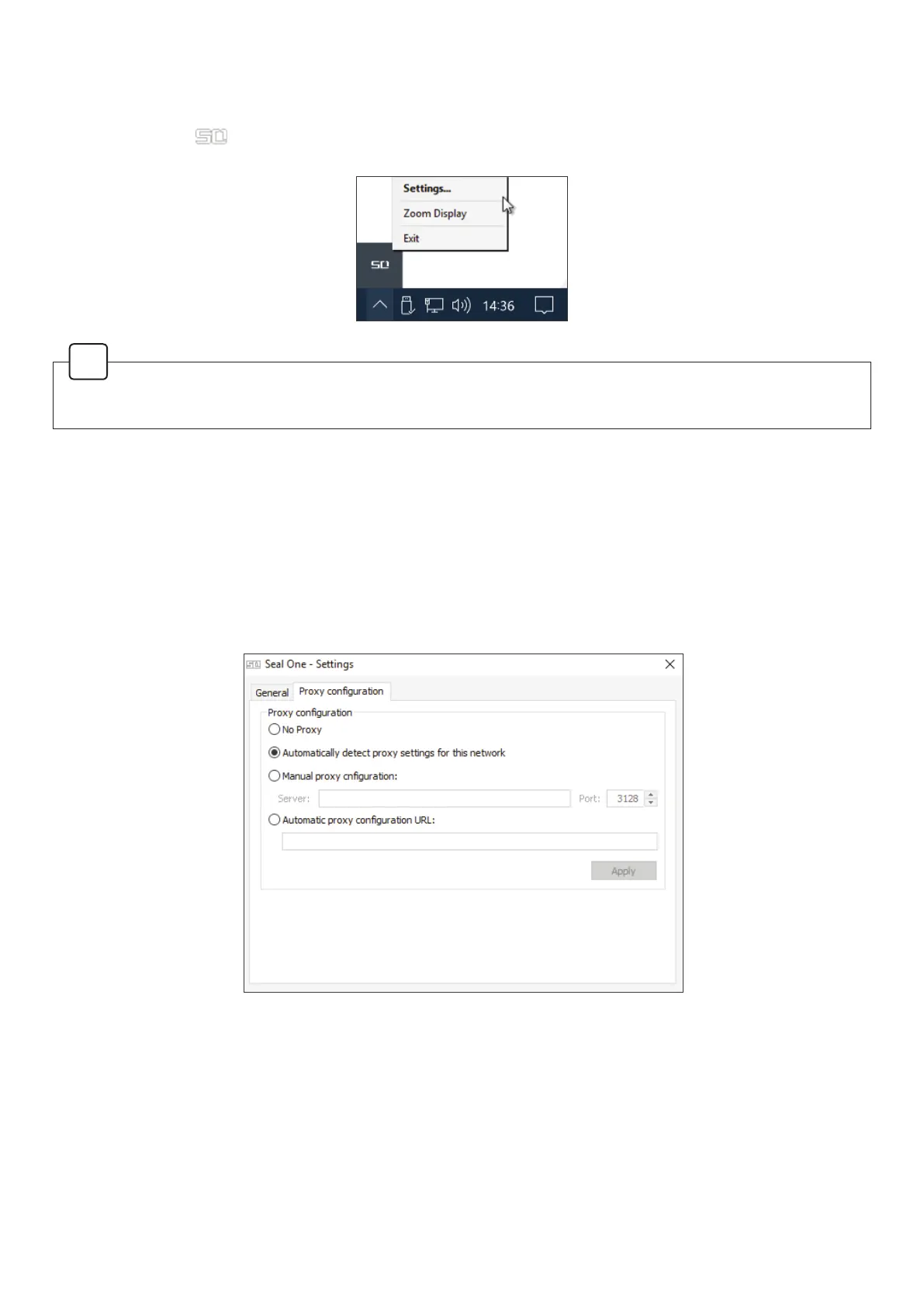
4.1.4 Proxy-Server
By default, the proxy setting is “Automatically detect proxy settings for this network”. Normally, you
should not need to change this setting. In exceptional cases, you may manually con gure the
proxy settings here.
If you have any questions with regards to proxy settings, contact your system administrator.
have the option to enlarge the font size. You can enable / disable display zoom via the “Zoom Display”
menu option of the tray icon.
When lines are larger than the screen size are displayed, the text will be displayed as a horizontally
scrolling ticker.
!



 To Next Page