Smart Hub Operation Instructions
5
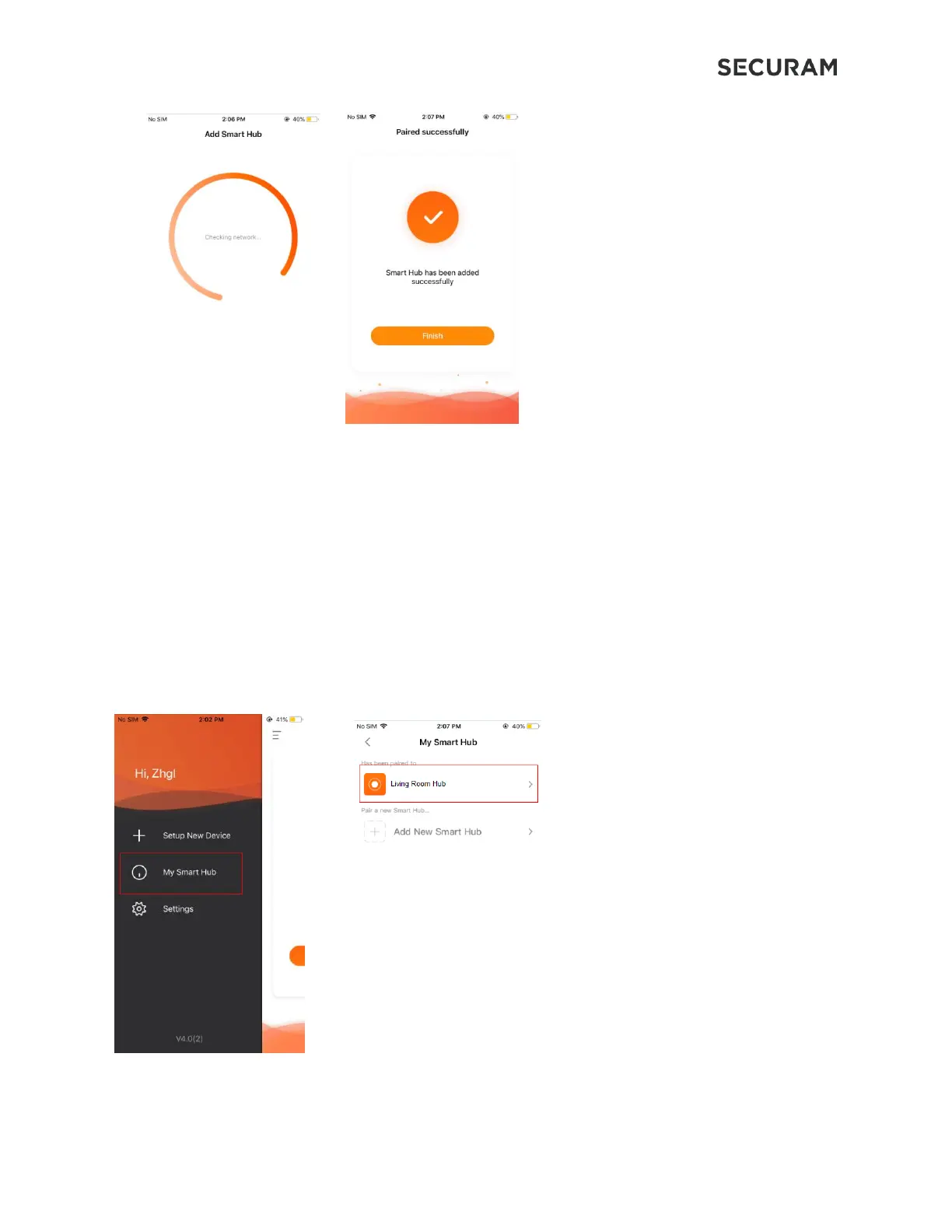
A message will be displayed on the app indicating that your Smart Hub has been added successfully. The
Smart Hub is now ready to communicate with SECURAM Smart devices.
3.0 Device Management
In the Smart Hub menu, changes may be made to the device name, time zone and check for updates.
The device may also be removed.
3.1 Change Device Name
In “My Smart Hub” menu, paired Smart Hubs will be listed. Click on the paired Smart Hub to enter Smart
Hub function menu, then click “Change Name” to change device name.


 To Next Page