EasyManua.ls Logo

Seecode Wheel - Page 3

Seecode Wheel
13 pages
Print Icon
To Next Page IconTo Next Page
To Previous Page IconTo Previous Page
Loading...
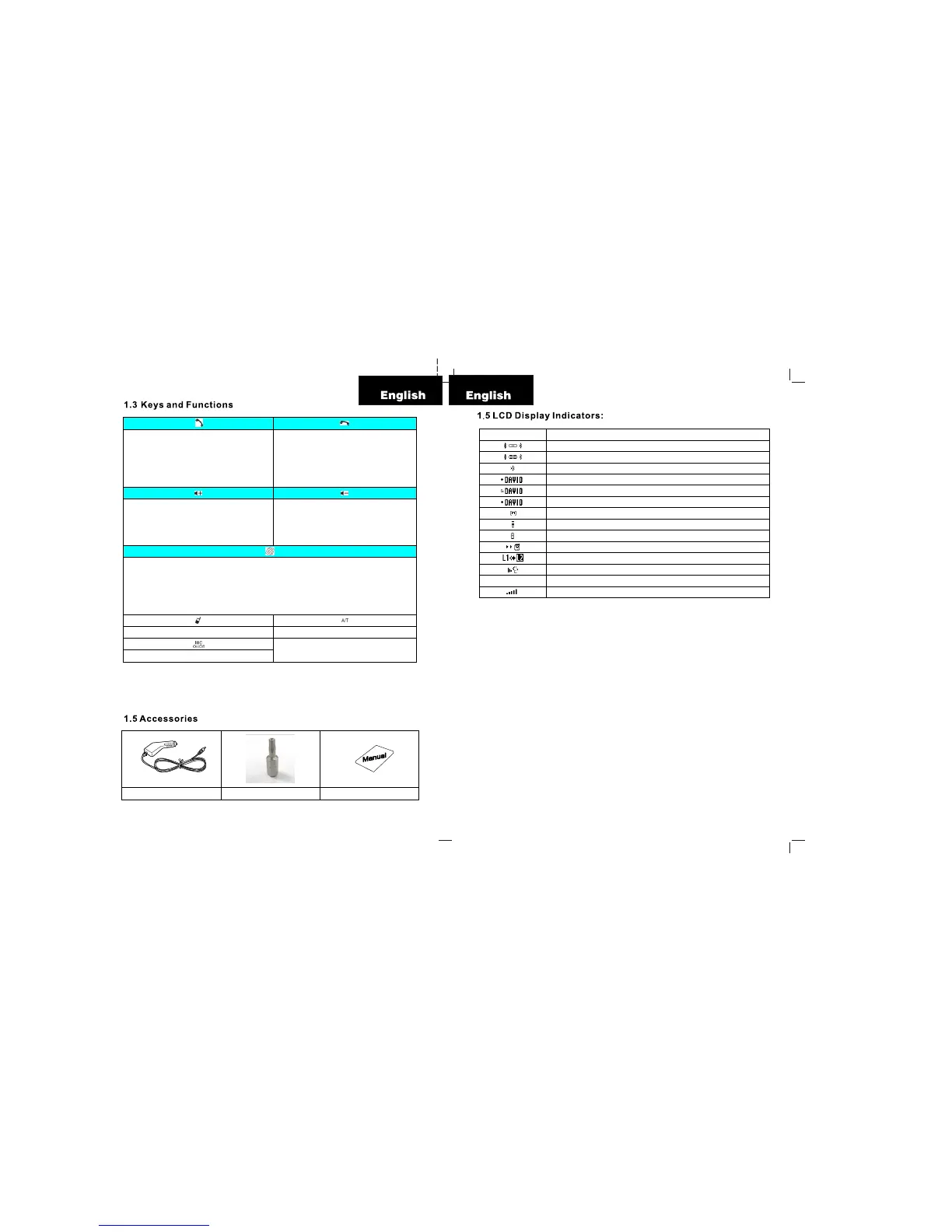
Receive call
Voice dialing
Conversation transfer
Yes (in menu)
Bluetooth link connection
End call
Reject call
No (in menu)
Power on / off (press and hold for 2 seconds)
Volume +
Upward (in menu)
Leftward (in menu)
Microphone gain control +
Volume –
Downward (in menu)
Rightward (in menu)
Microphone gain control -
LCD Contrast
Speed Dialing
Speed Dialing
Speed Dialing (5 Slots) Call Transfer between Wheel and the handset
Mic Mute
SEECODE
Welcome Screen
BT Paring Mode
BT Paring Successful
BT Disconnected
Incoming Call
Missed Call
Outgoing Call
Menu
Reception signal strength Indicator (for mobile phone only)
Battery level Indicator / Charging Indicator
Call Transfer to Mobile (During a call)
Line Switching in Call waiting
Voice Dialing
Call Register
Call Register
Volume Indicator
Car Charger Screw Driver Usermanual

Related product manuals